Moonchild AI vs Visily for Rapid UI Generation
Updated February 21, 2026
You generate five dashboard layouts in Visily in 20 minutes. All different. Great for brainstorming direction.
You pick one and generate 15 screens for the full flow. Visily creates them in minutes. But by screen 12, things start to drift. Buttons vary in size. Spacing changes. Colors are not consistent. Each screen was generated independently.
What felt fast now feels messy.
The gap between Visily and Moonchild is not speed. It is whether speed compounds or creates work later.
Ideation speed is one metric. Production speed is another.
Consistency compounds when UI is designed in systems, not screens
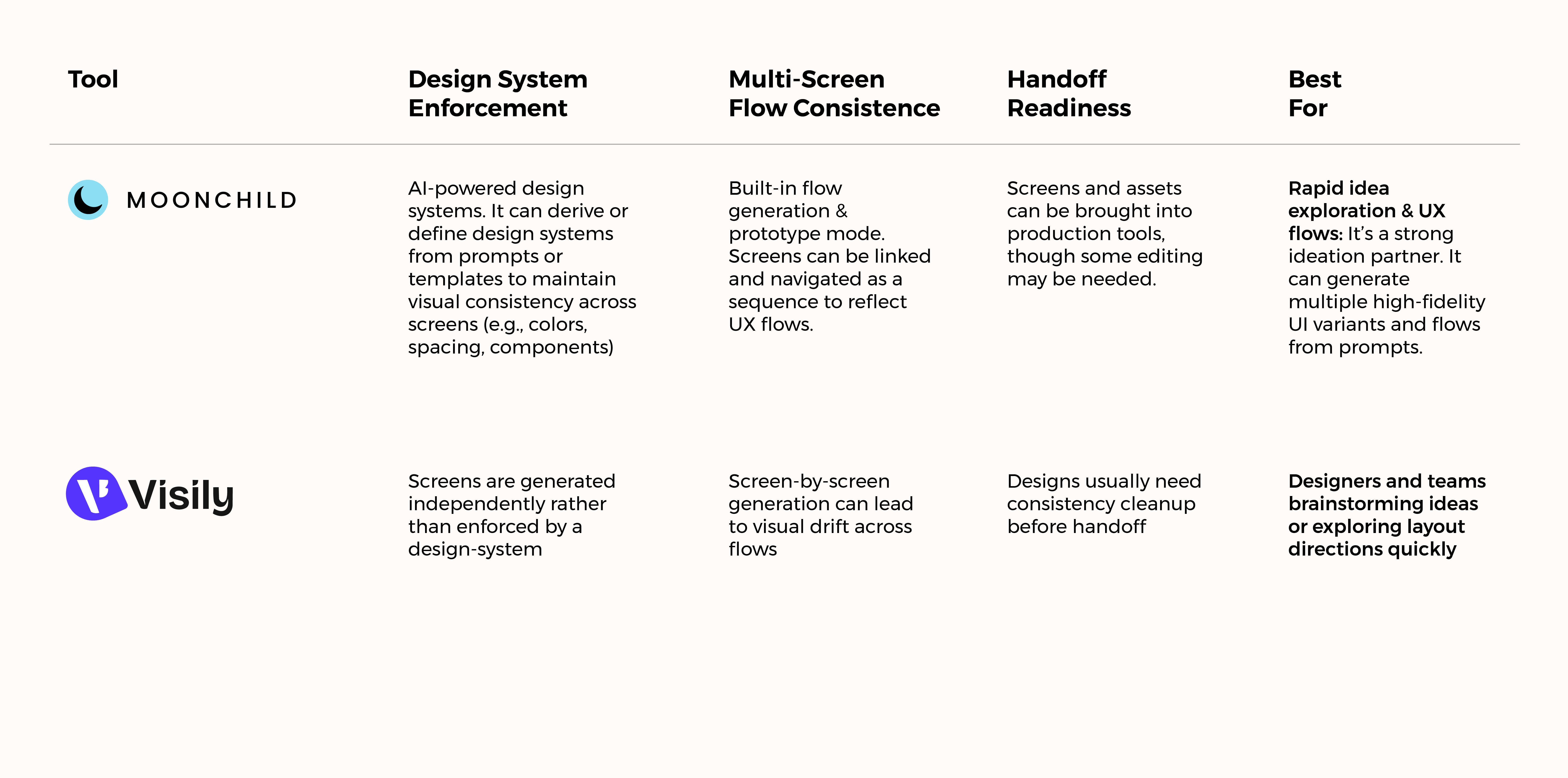
Visily excels at idea speed. From a blank canvas to five layout directions in minutes. That is genuinely valuable in early brainstorms. Visily generates screens one at a time, each optimized for visual interest. Moonchild generates screens within constraints. Your design system becomes the instruction set.
This means Visily feels faster at first. Moonchild feels faster overall. The difference becomes clear at scale — around 30 screens. At that point, Visily screens often become visually inconsistent. Buttons vary. Spacing drifts. Consistency work starts to accumulate.
Moonchild screens are generated within a system, so patterns stay consistent. No cleanup required.
Visily optimizes for the earliest question
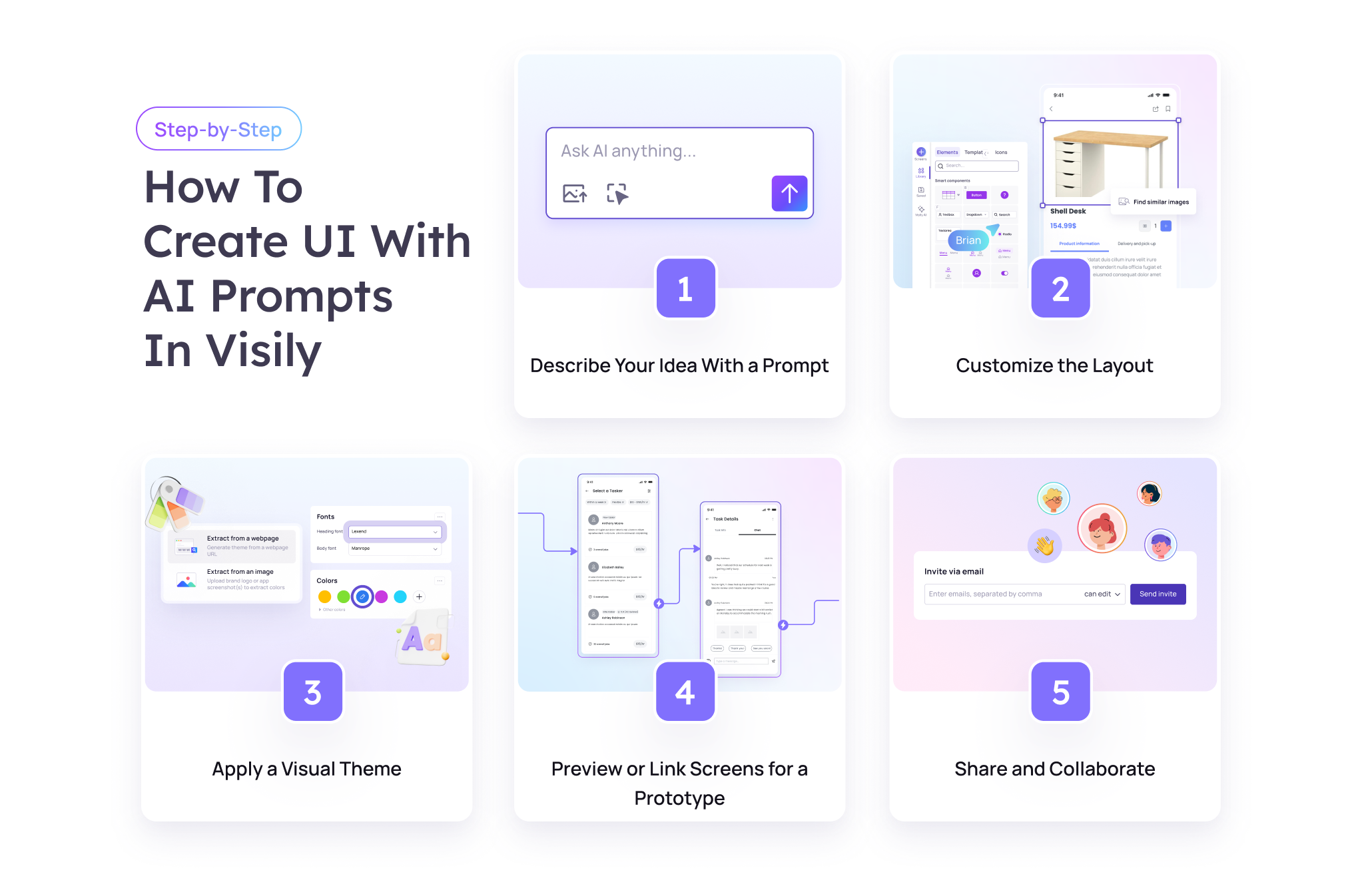
Visily is designed for early interface ideation. It helps teams explore what a product interface might look like before committing to a direction. At that stage — before a design system exists and before a feature is fully defined — tools like Visily can quickly produce multiple UI concepts.
For example, a team can generate several dashboard layout ideas and review them side by side to discuss which direction feels most promising.
The value is speed in early exploration. Instead of spending days sketching alternatives, teams can create and compare multiple concepts in a single session.
Visily is optimized for speed to options output. It helps teams generate many layout ideas quickly. The tradeoff often appears later, when a direction has been chosen and the design needs to expand across many screens. Screens are typically generated individually, so maintaining consistent patterns across a large flow can require additional manual refinement.
This reflects the tool's focus. Visily prioritizes rapid ideation and exploration rather than enforcing system-level consistency during large-scale production.
Moonchild's constraint-based speed
Moonchild may be slightly slower at the "generate 5 options" moment — taking minutes instead of seconds. But the difference appears when you need to expand the design to 30 consistent screens.
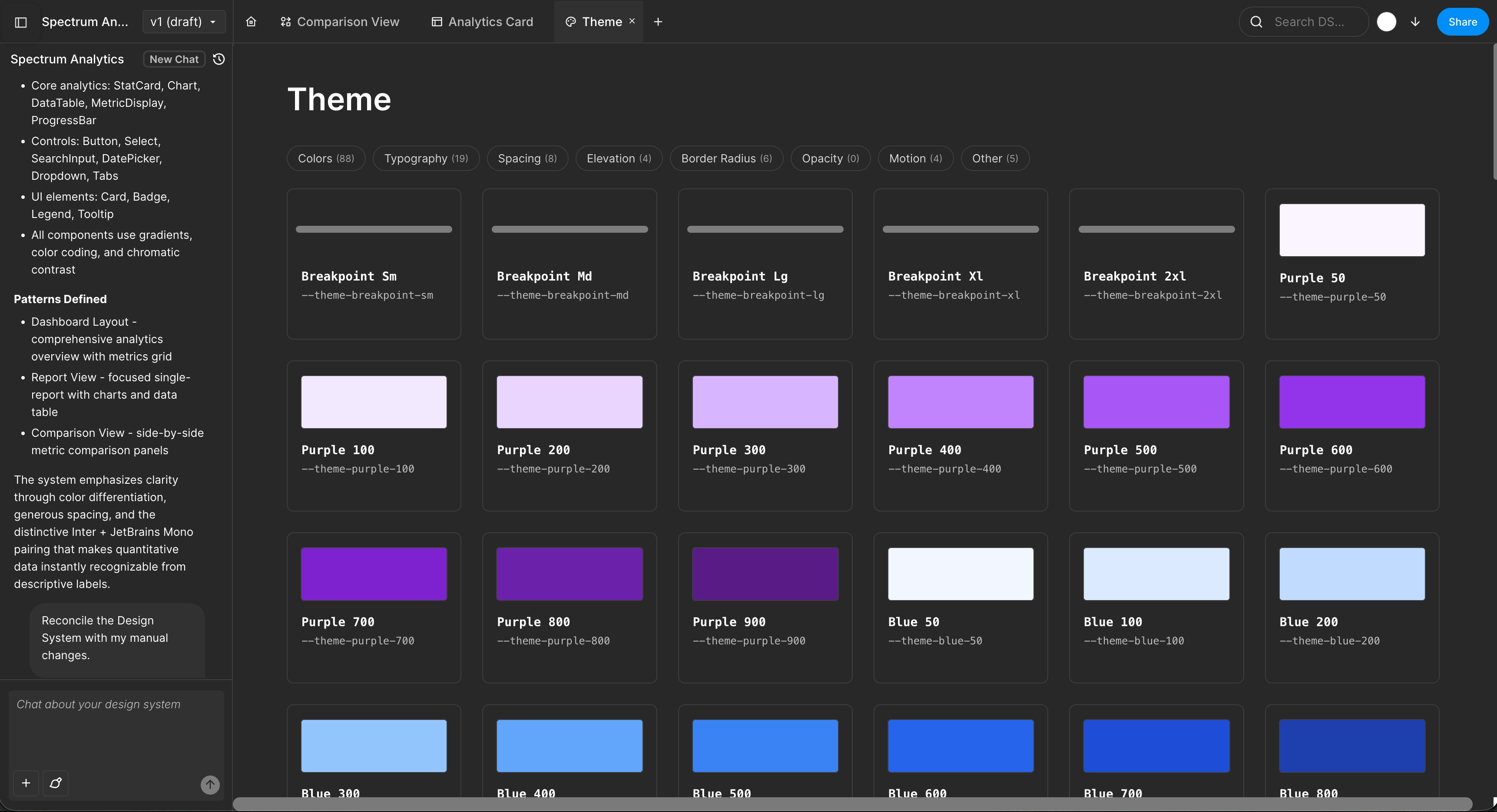
Because Moonchild works within a design system, the system becomes the speed baseline. Every screen:
- Uses the same component library
- Follows the same spacing scale
- Inherits the same colors and typography
- Maintains consistent interaction patterns
For small design teams, this reduces the need to manually maintain consistency. The system helps keep screens aligned as the product grows.
The inflection point where tool choice matters
Speed looks different at different stages.
Early ideation (weeks 1–2): Visily is useful. Teams are exploring directions, and generating multiple layout options quickly helps discussion.
Mid-development (weeks 3–8): Moonchild becomes more useful when the goal shifts from exploration to building out a chosen direction across many screens, where consistency becomes important.
Post-launch iteration (weeks 9+): A system-driven workflow becomes more valuable because new features can follow the same design patterns.
Many teams use different tools for different phases. Visily can support early brainstorming, while system-driven tools like Moonchild can support building and maintaining consistent product interfaces.
What "ready to hand off" actually means
When you have 25 screens and need to hand them to engineers or review them with a designer, the question becomes: what does ready mean?
Visily-generated screens: They are clear and visually readable. But teams may still review consistency before development. Designers often check components, spacing, and styles to ensure the interface follows a coherent pattern across screens.
Moonchild-generated screens: The goal is to generate screens within an existing design system, using shared components and style tokens. That means designers can focus on refining details such as copy, imagery, and interactions instead of rebuilding the base UI.
The key difference is where time is spent. Faster generation matters, but avoiding additional refinement work can matter more when preparing designs for development.
The real calculation
Speed-first tools can feel faster because the metric is often time to a mockup. Product teams usually care about a different metric: time to a mockup that is ready to refine or ship.
For example, Visily can generate interface concepts very quickly. But teams may still spend time refining those screens so styles and components are consistent before development.
A system-driven workflow, such as one based on a defined design system, may take slightly longer to generate the first screens. However, less time may be needed later because shared components, spacing, and styles are already aligned.
So the more useful metric is not just speed of generation, but speed to production-ready UI.
Which phase determines your choice
Use Visily if:
- You are in early ideation and have not committed to a direction
- You want to explore multiple layout ideas quickly
- You are creating rough mockups for discussion
- You do not yet have a design system
Use Moonchild if:
- You have chosen a direction and are scaling it across many screens
- You are working with a design system
- You are designing multi-screen flows
- You want UI that can move quickly toward developer handoff
Many design teams use tools this way in sequence. Visily helps explore directions early, while system-driven tools can help build that direction out across a full product flow.
The common mistake is using an ideation tool as the production foundation. As the number of screens grows, maintaining consistency across the interface usually requires more structured systems and components. Moonchild is poised to solve this problem.
Try Moonchild
Want this for your team?
Bring your design system into Moonchild and let PMs, designers, and engineers ship on-brand UI together — without breaking consistency.
Written by
Lotanna NwoseSenior PMM with 7 years experience across multiple teams. Building the new way of using AI to do Product Design work at Moonchild AI.
Related Articles
Best Alternatives to Galileo AI for Real Design Systems
Galileo works well for exploration and early concepts, but relying on it for production UI often introduces rework. Here's how different tools solve different phases of the design process.
Moonchild AI vs Google Stitch for Production-Ready UI Generation
Google Stitch is optimized for research and exploration. Moonchild is designed for consistent, production-focused interface design. Both use AI to generate UI, but they serve different stages of work.
Moonchild AI vs Relume for Sitemap-to-UI Workflows
Relume helps teams plan structure and page relationships. Moonchild generates interface screens that implement that structure in UI form. They address different stages of the same workflow.