Moonchild AI vs Galileo AI for Production-Ready UI Design
Updated February 15, 2026
Imagine this scenario: You generate 15 new screens for a SaaS product. You are pleased with the results. Your design looks clean in Figma. Three weeks later, engineers are asking why the new onboarding flow uses different button spacing than the checkout flow.
Same tool, same founder but the UI fractured across flows. This is the hidden cost of design system-agnostic generation.
The split between Moonchild AI and Galileo AI isn't about speed. Both generate UI in minutes. The difference is what happens after: whether generated screens become production debt or become part of a coherent product language.
Design system consistency is the production-ready metric
You could ask, "Which tool generates designs faster?" But that's the wrong metric.
Speed to first mockup is meaningless if that mockup requires hours of cleanup in Figma before engineering can touch it. What actually matters is something harder to achieve: whether new screens automatically inherit your design system without constant designer correction.
True design-system consistency means:
- New flows pull from your real component library not newly invented UI patterns.
- Multi-screen journeys maintain consistent typography, spacing, and color logic.
- Iteration doesn't break structure. When a founder says, "Simplify the form," you refine — you don't rebuild.
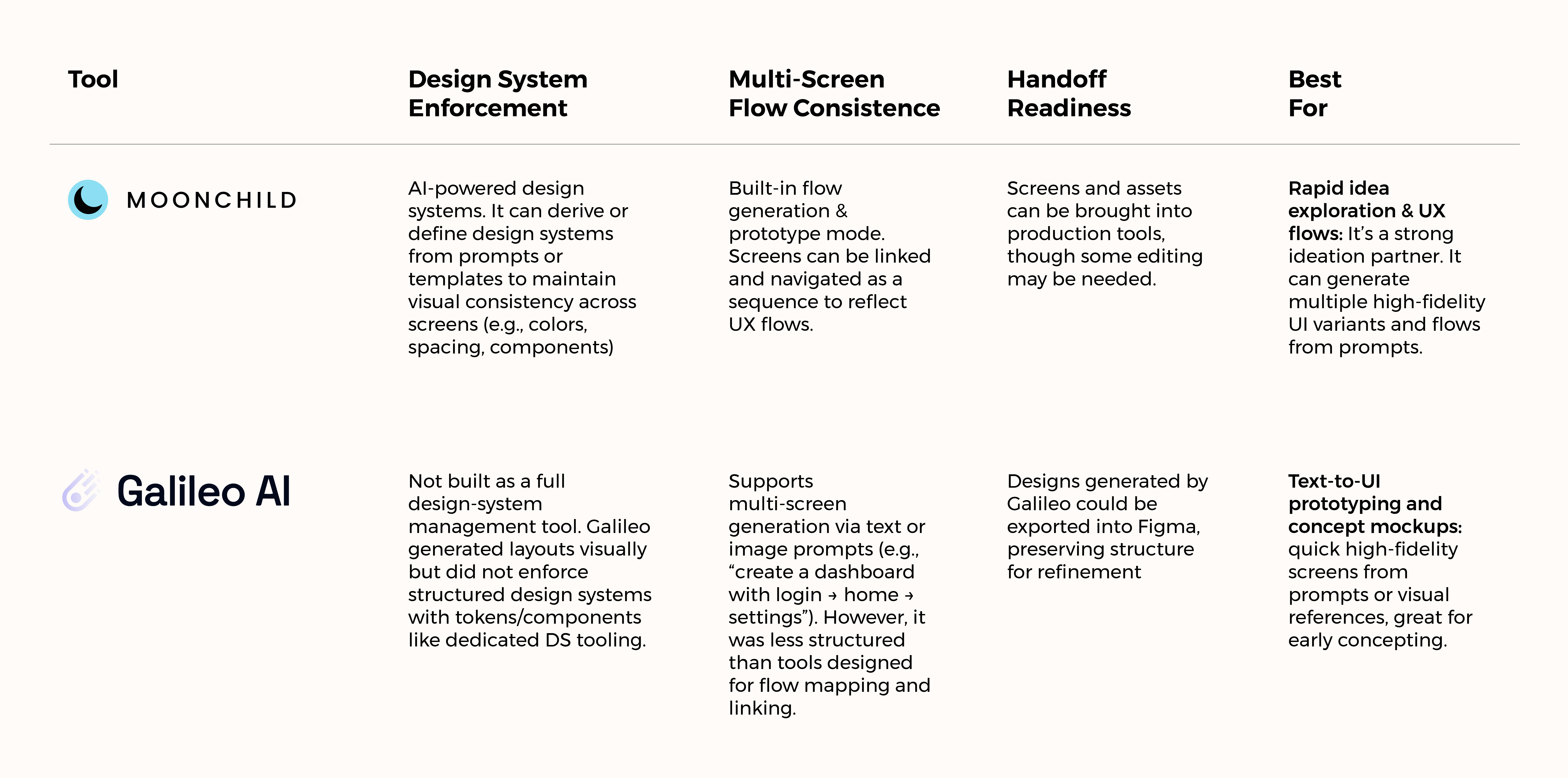
Galileo AI was excellent at generating beautiful, high-fidelity single screens quickly.
Moonchild AI, by contrast, is built around cohesion. Generating screens that belong to the same system, the same flow, and the same evolving product.
One optimizes for impressive output. The other optimizes for usable continuity.
Moonchild works backward from your constraints
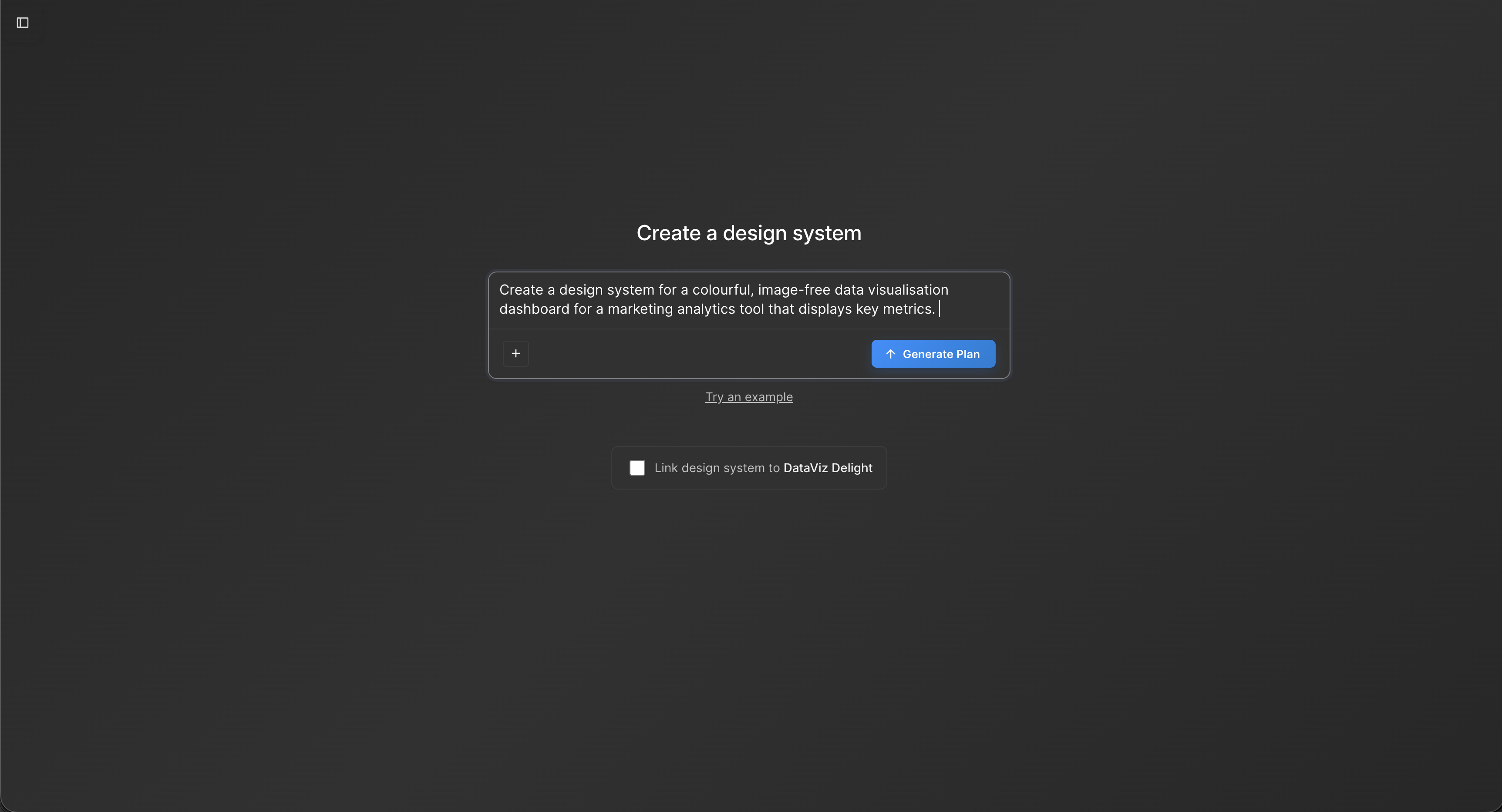
Moonchild AI flips the philosophy of generic UI generators on its head.
Most AI design tools follow the pattern: generate something beautiful first, clean it up later. Moonchild starts from the opposite premise: your design system is the product; generate inside it. That shift fundamentally changes what the tool optimizes for.
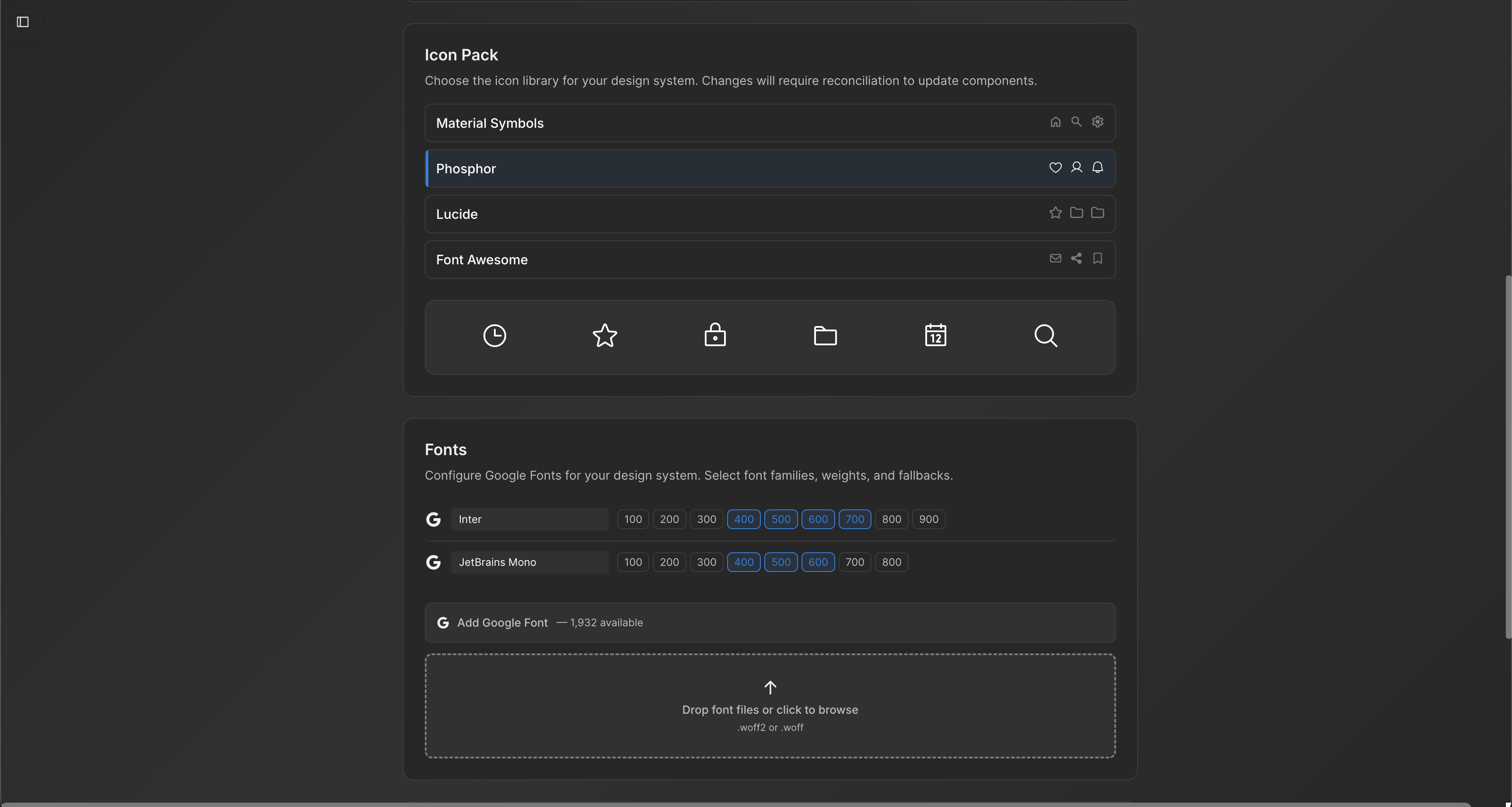
When you import a design system into Moonchild, it isn't treated as loose inspiration. It becomes the rulebook. Every generated screen is built from your actual components, your spacing scale, and your color values. The AI doesn't improvise with random paddings or invent new UI patterns. The constraints aren't limitations — they're the instruction set.
For a lean, two-person design team shipping something like a fintech product, that difference is tangible. You don't have the time to manually audit 30 screens for typography drift or inconsistent input states. You can't afford to refactor layouts every time requirements change.
In that environment, the tool stops being a mockup generator and starts being a consistency engine. Instead of creating cleanup work, it reduces it.
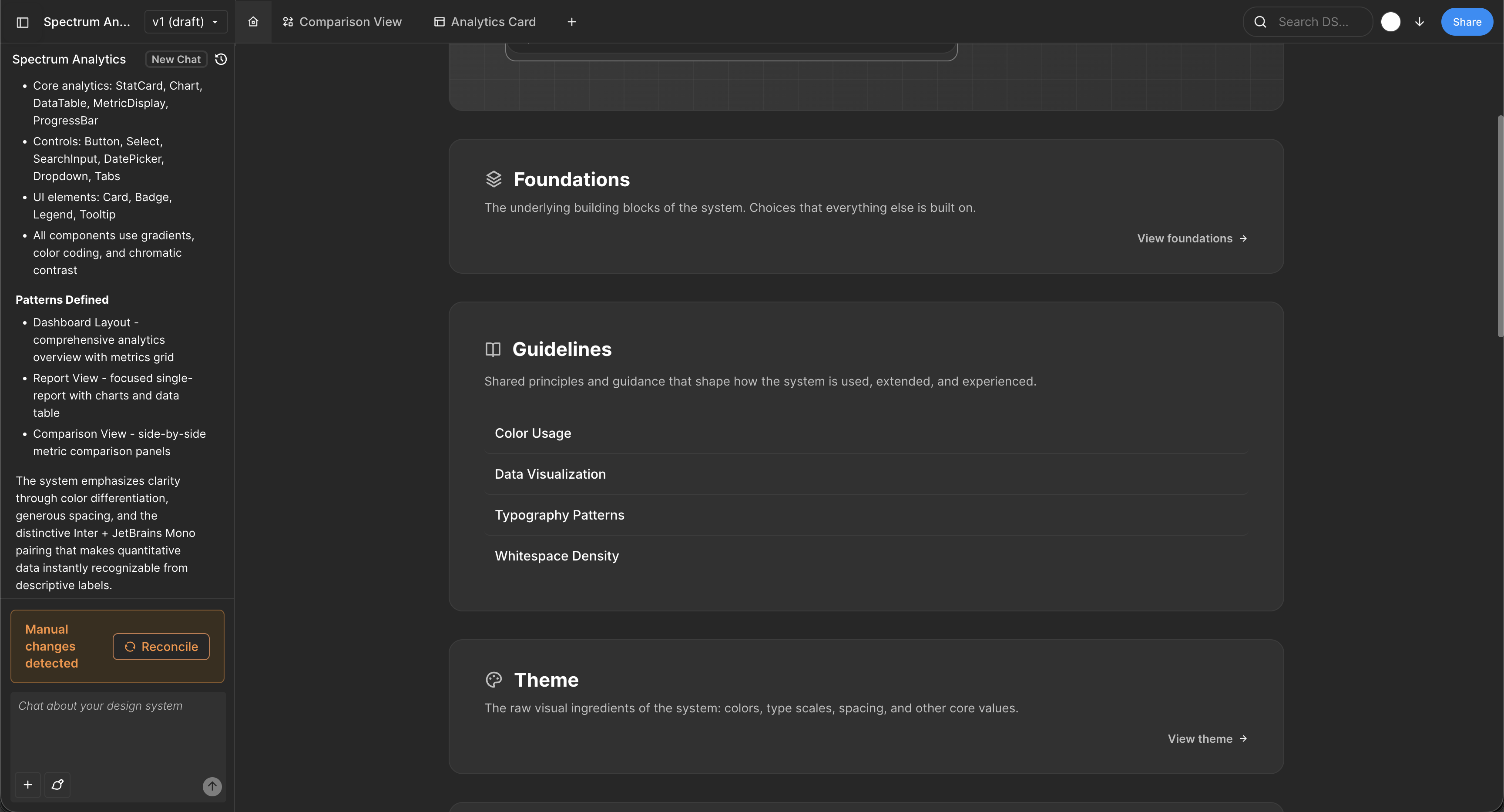
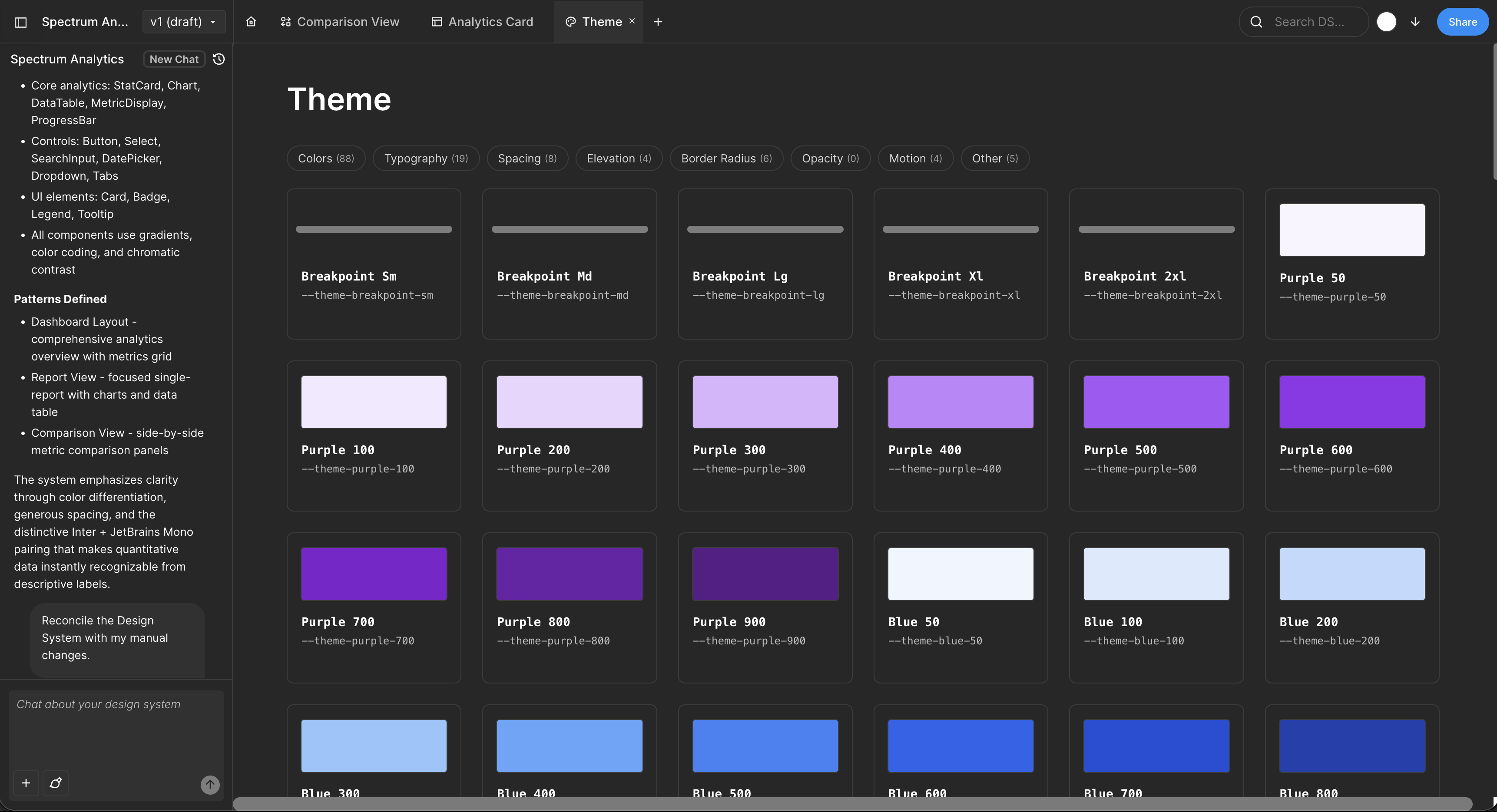
Multi-screen flows stay coherent because they're designed for flows
Real products aren't single screens. They're journeys: onboarding sequences that connect to account dashboards, checkout flows that connect to settings, feature journeys that build on earlier interactions. A tool designed for flows generates differently than a tool designed for isolated screens.
Moonchild generates screens with awareness of the journey. When it builds an onboarding sequence, screens reference each other. The login flow knows about the account dashboard it connects to. This seems like a small difference until you realize: tools that generate screens in isolation create flows that feel like they came from different products.
The rework burden falls on design teams later. You get 6 screens, they feel cohesive. You generate 12 more, and now half the flows look like they belong to a different product. You're back to manual cleanup.
Galileo's strength: visual exploration, not production shipping
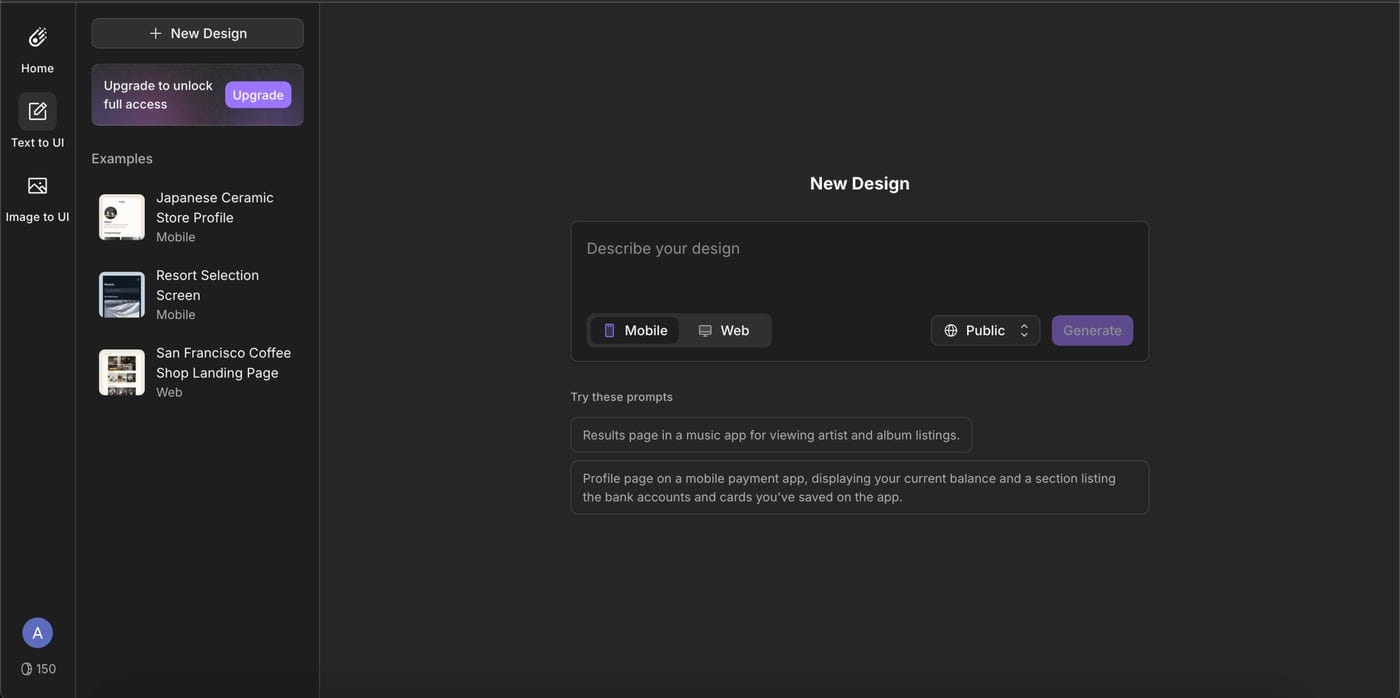
Galileo AI is exceptional at exactly what it was built to do. Give it a prompt and within a minute you'll have 3–5 visually polished UI directions. No design system required. No constraints. Just fast, high-fidelity visual ideation.
That's incredibly powerful in the right moments:
- An investor deck needs a clean mockup.
- A founder is testing a hypothesis about information architecture.
In those scenarios, Galileo shines.
But the trade-off is built into the model. Galileo generates beautiful single screens without awareness of your design system, your component library, or your broader multi-screen flow. You get visual inspiration. You don't get production-ready UI.
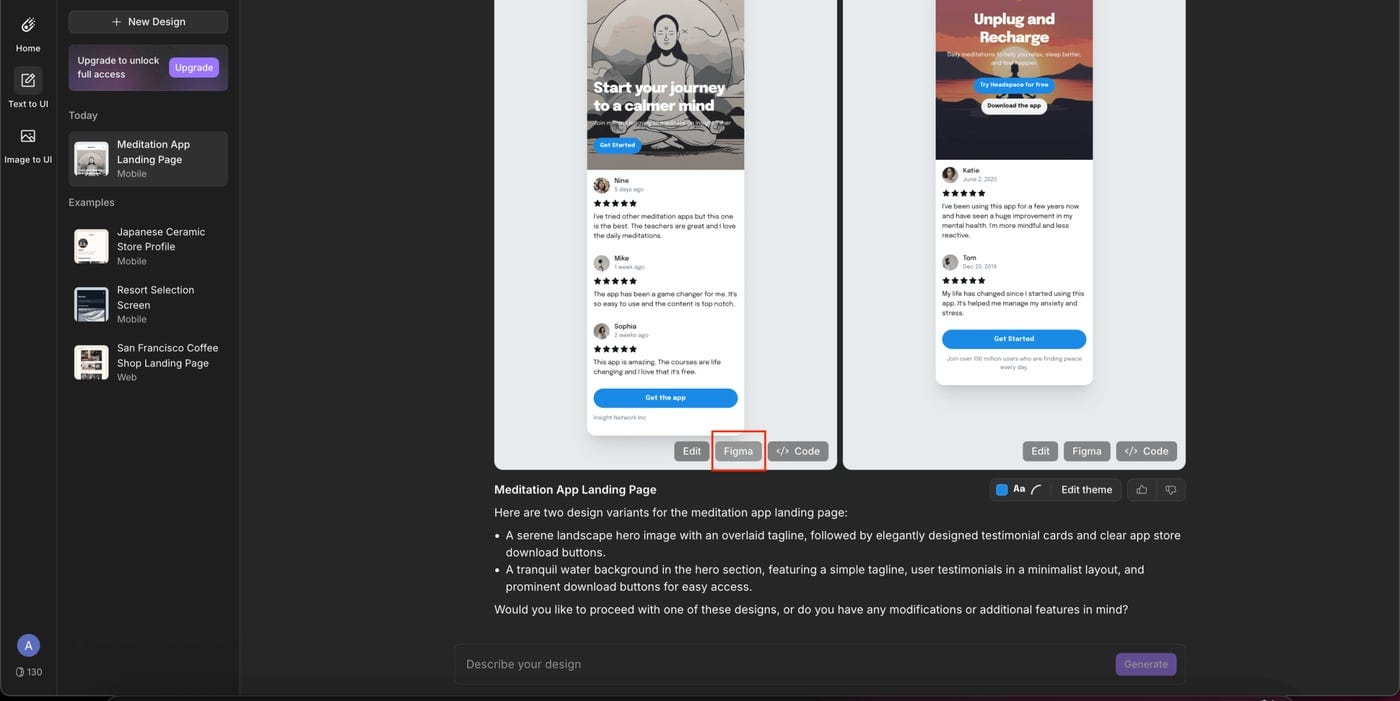
Teams that attempt to ship Galileo output directly often run into the same pattern: 30–45 minutes per screen in Figma rebuilding everything with real components, tokens, and spacing rules. Multiply that across 20 screens and you're looking at 10–15 hours of unplanned rework.
At that point, the original speed advantage disappears during handoff. What felt fast at generation becomes slow in production.
The question is really about what work you're trying to do

If you're experimenting with ideas
Sometimes you're not designing a product yet — you're exploring possibilities. You want to see different UI directions quickly, compare layouts, and react to them. The goal isn't system discipline or production safety. It's visual exploration.
In that situation, tools like Galileo AI are extremely effective. You can describe an interface and instantly see a polished UI direction. Those screens aren't meant to be shipped as-is; they're conversation starters. They help you ask, "Is this the direction we want?" rather than "Is this ready to build?"
If you're doing real product work
The moment you're designing screens that will actually live inside your product, the priorities change. Consistency stops being aesthetic and becomes structural. Login screens, dashboards, and settings flows should all feel like they belong to the same system.
This is where Moonchild AI becomes the better fit. Instead of generating isolated mockups, it generates UI within a design system. Components, spacing, and colors follow shared rules, which prevents small inconsistencies from multiplying as your product grows.
The result is simple: designers refine screens instead of rebuilding them.
The practical way to think about it
Use Galileo when you want to explore possibilities quickly. Use Moonchild when you want to build something that will actually scale.
One tool helps you imagine the product. The other helps you construct it.
What production-ready actually requires
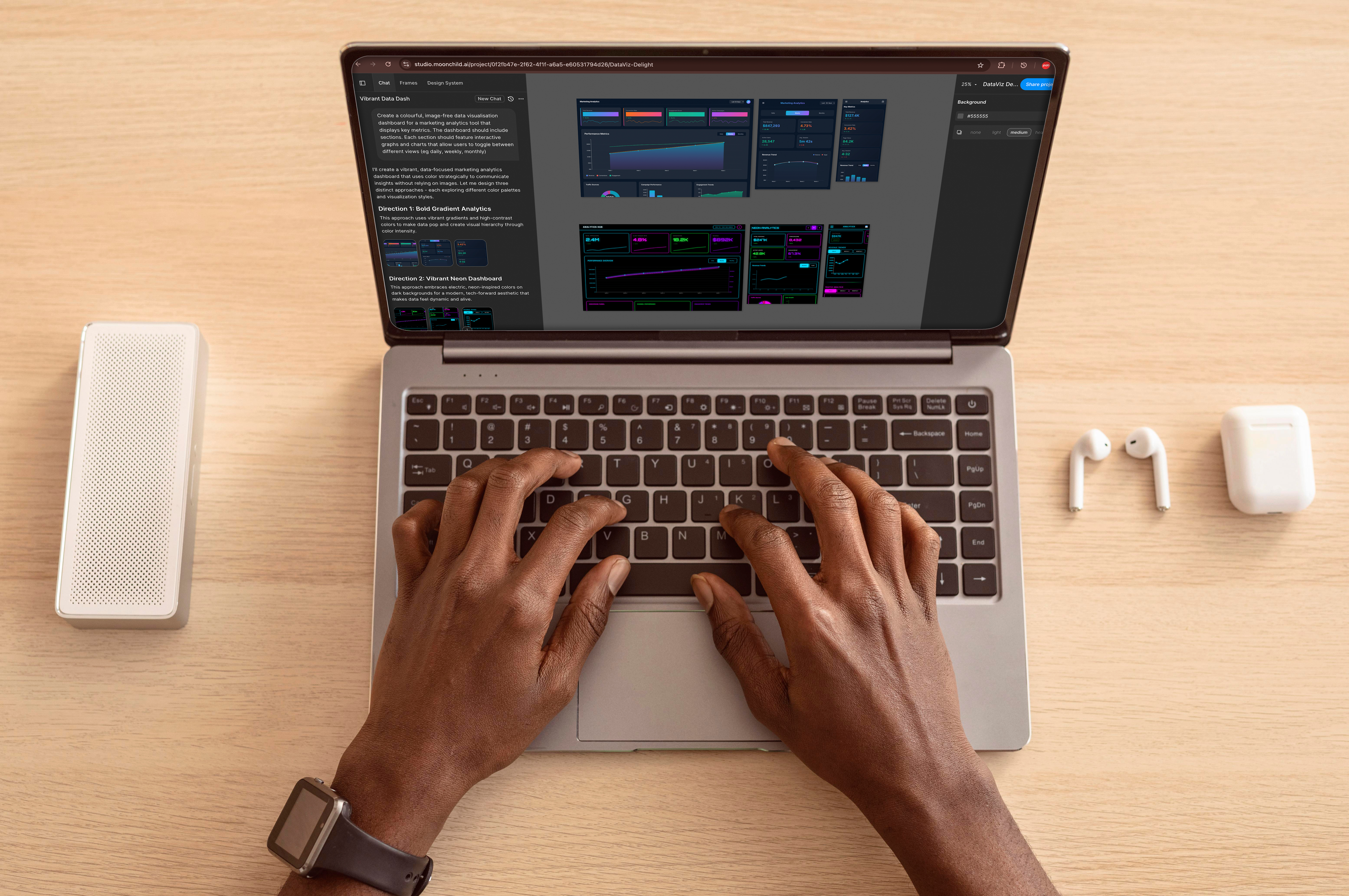
Production-ready UI isn't subjective. It's measurable.
Can engineers pick up this file and move straight to implementation? Are components real instances from the design system? Do all screens share the same typography, spacing scale, and color logic? That's the bar.
When Galileo AI generates a screen, engineers typically see mockup-quality output — polished, visually strong, but detached from the underlying component system. It communicates intent beautifully. It still needs translation.
When Moonchild AI generates a screen inside your imported system, engineers see something closer to final: structured layers, real component instances, assets applied consistently. The gap between design and build narrows.
The difference compounds.
Month one: you rebuild 20 Galileo screens. It's tedious, but manageable. Month three: you've rebuilt 60 screens, and subtle variations creep in because different designers reconstruct patterns slightly differently. Month six: that divergence becomes visible to users — tiny inconsistencies across flows, spacing shifts, mismatched states. Design debt isn't theoretical anymore.
Moonchild approaches generation differently. Screens are created within your system from the start. Iteration becomes refinement, not reconstruction. The work compounds in alignment instead of drift.
The real cost of post-generation rework

As a founder, it's easy to think: "We'll use Galileo AI for speed, then clean it up in Figma." In practice, that math rarely holds.
When UI is generated outside your design system, the rework is structural. Components must be swapped. Tokens reapplied. Spacing corrected. That isn't refinement — it's reconstruction. And it's manual because a designer has to rebuild every screen.
With Moonchild AI, generation happens inside your system constraints. Rework shifts to copy, imagery, and edge-case polish instead of rebuilding the foundation. The output may be incomplete by design, but it isn't broken by design.
Founders are already using Moonchild AI to build production-ready UIs that aren't just pretty mockups but actually align with real design systems and hand off cleanly to engineering.
Try Moonchild
Want this for your team?
Bring your design system into Moonchild and let PMs, designers, and engineers ship on-brand UI together — without breaking consistency.
Written by
Lotanna NwoseSenior PMM with 7 years experience across multiple teams. Building the new way of using AI to do Product Design work at Moonchild AI.
Related Articles
Moonchild AI vs Google Stitch for Production-Ready UI Generation
Google Stitch is optimized for research and exploration. Moonchild is designed for consistent, production-focused interface design. Both use AI to generate UI, but they serve different stages of work.
Best Alternatives to Galileo AI for Real Design Systems
Galileo works well for exploration and early concepts, but relying on it for production UI often introduces rework. Here's how different tools solve different phases of the design process.
Moonchild AI vs Uizard for Designing UI with AI
The difference between Moonchild AI and Uizard isn't about who generates screens faster. It's about whether your MVP UI becomes your product's foundation or technical debt you have to discard.