Moonchild AI vs Every Major AI Design Tool in 2026
Updated February 26, 2026
Moonchild AI vs Every Major AI Design Tool in 2026
There are now several excellent AI design tools, each with distinct strengths. This comparison covers them all honestly — where each tool excels, where it falls short, and how Moonchild AI compares on every dimension that matters.
Quick Comparison Table
| Feature | Moonchild AI | Figma Make | Uizard | Visily | UX Pilot | Framer | Flowstep |
|---|---|---|---|---|---|---|---|
| Design system support | Full DS editor with 7 sections, version control, downloadable | Uses Figma's component libraries | Generic output, no DS awareness | Minimal | Basic DS constraints | No DS integration | No DS integration |
| Multi-screen flow generation | Full flows from PRDs, consistent across screens | Single screen at a time | Individual screens | Wireframe flows | Flow generation | Single pages | Full flows |
| Prototyping | Instant interactive prototypes | Figma's native prototyping | Basic click-through | Limited | Basic | Advanced with motion | No prototyping |
| Generation quality (Gold mode) | High — 80-90% usable first pass | Good within Figma context | Fast but generic | Structural, not polished | Good defaults | Web-focused | Clean but basic |
| Export options | Figma, Claude Code, Lovable, Cursor, Bolt + DS download | Native Figma | Figma plugin, PNG | PNG, PDF | Figma | Publishes to web | Figma copy-paste |
| DS portability | Download entire DS for any external tool | Locked to Figma | None | None | None | None | None |
| Best for | End-to-end product design with DS | In-canvas Figma refinement | Fast early exploration | Information architecture | Quick flow generation | Interactive web experiences | Rapid screen generation |
| Pricing | Free tier + paid plans from $12/mo | Included with Figma | Free tier + paid | Free tier + paid | Free tier + paid | Free tier + paid | Free tier + paid |
Moonchild AI vs Figma Make
Figma Make works within the Figma environment — you describe what you want, and it generates components or variations in your existing file. The advantage is zero context switching. The limitation is scope: Figma Make is an incremental refinement tool, not a full-project generator. It can't take a PRD and produce a complete multi-screen flow.
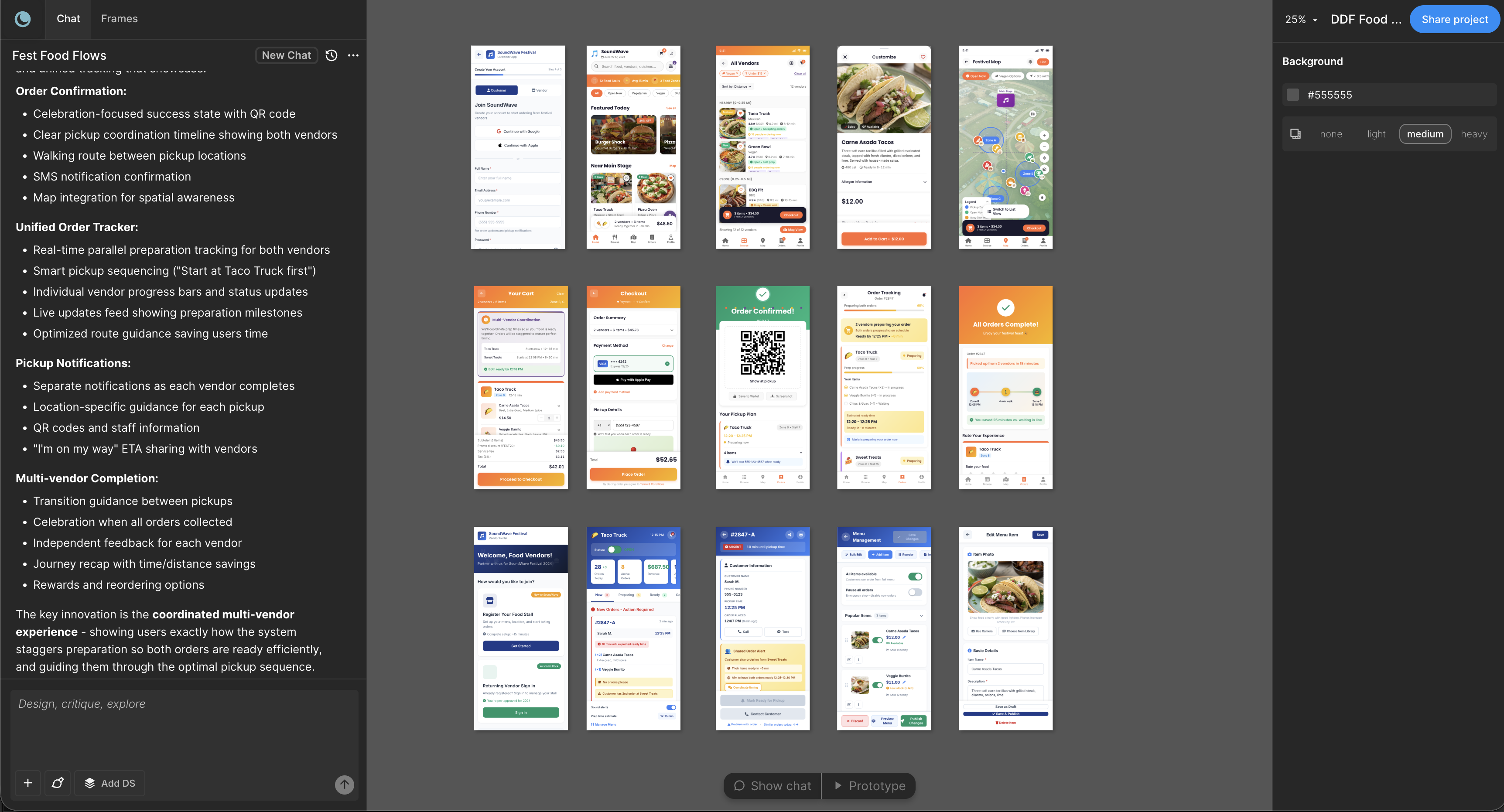
Moonchild lives in its own space and handles the full journey from requirements to prototype. You generate multi-screen flows, iterate across directions, preview interactive prototypes, then export to Figma when the design thinking is mature.
The design system story is fundamentally different. Figma Make uses whatever components exist in your Figma file. Moonchild has a dedicated DS editor with seven sections — Foundations, Guidelines, Themes, Styles, Components, Gallery, and Assets — plus version control and a download button that lets you take your DS to Claude Code, Lovable, Cursor, or any other tool. That DS portability doesn't exist in Figma Make.
Moonchild wins on: generation scope, design system depth, multi-screen flows, prototyping, export flexibility, DS portability.
Figma Make wins on: zero context switching for Figma-native teams, tight ecosystem integration.
In practice: most teams use both. Moonchild for generation and flow development. Figma for final refinement and handoff.
Moonchild AI vs Uizard
Uizard is built for speed. You describe an interface, and in seconds you have a generated screen. It's excellent at turning rough ideas into visual wireframes fast, and its sketch-to-UI feature converts paper drawings into digital mockups.
The tradeoff is design system awareness. Uizard generates generic, well-designed UI — but it's not your UI. It doesn't know your component library, your tokens, or your brand rules. Every screen needs restyling afterward to match your product.
Moonchild takes the opposite approach. When you attach your DS, every screen uses your actual components, colors, and typography. The output doesn't just look good — it's unmistakably your product. And because the DS includes Guidelines with rules for screen composition, component usage, and DOs/DON'Ts, the AI follows your design language, not generic patterns.
Moonchild wins on: design system fidelity, brand consistency, multi-screen coherence, prototyping, export to dev tools.
Uizard wins on: raw speed for early exploration, sketch-to-UI conversion, lowest learning curve.
Choose Uizard if: you're pre-design-system and need to explore fast. Choose Moonchild if: you have a design system and want consistent, branded output.
Moonchild AI vs Visily
Visily prioritizes structure over visual polish. It's strong at screenshot-to-design conversion and understanding information hierarchies. If your primary challenge is figuring out what goes where on complex enterprise screens, Visily's structured approach is useful.
Visily's weakness is visual sophistication and design system integration. Generated interfaces are functional and organized but often feel generic. There's no DS editor, no component-level control, and no way to enforce your specific brand rules.
Moonchild handles complex flows while maintaining visual quality and system consistency. The assumption is that if you have a mature DS, your components already encode good architecture decisions. Moonchild applies that system across complex flows rather than generating structure from scratch.
Moonchild wins on: visual quality, design system integration, prototyping, export options.
Visily wins on: screenshot-to-design conversion, quick wireframe generation, competitive benchmarking.
Moonchild AI vs UX Pilot
UX Pilot and Moonchild share a similar philosophy — both prioritize end-to-end workflows and design system awareness. The differences are more subtle.
UX Pilot has good out-of-the-box defaults. If your project fits its expected patterns, you get solid results with minimal setup. It's quick for teams that want something that works immediately.
Moonchild goes deeper on design system integration. The dedicated DS editor with Foundations, Guidelines, Themes, Styles, Components, Gallery, and Assets gives you far more control. You can represent complex component relationships — an input field with multiple states depending on context, conditional component behaviors, detailed composition rules. Moonchild's DS was built to replicate the complexity of your actual source of truth, not just surface-level tokens.
The DS portability is also a differentiator. Moonchild lets you download your DS and take it to Claude Code, Lovable, Cursor, or any dev tool. UX Pilot doesn't offer this.
Moonchild wins on: DS depth, DS portability, complex component relationships, export flexibility.
UX Pilot wins on: quick setup, good defaults for standard patterns.
Moonchild AI vs Framer
Framer and Moonchild operate in different territories. Framer is optimized for interactive web experiences — marketing sites, landing pages, motion-rich designs. Its layout engine mirrors CSS, so designs can publish directly as live websites.
Moonchild is optimized for product UI — apps, dashboards, workflows, software interfaces where the challenge is layout, user flows, and design system consistency.
These serve different user bases. Framer users are designing web experiences where interaction and animation are core to the product. Moonchild users are designing product interfaces where clarity, consistency, and scalability matter more than motion sophistication.
Moonchild wins on: product UI, design system integration, multi-screen flows, developer export.
Framer wins on: motion design, interactive web experiences, direct web publishing.
They don't compete in most real workflows. Use Framer for your marketing site. Use Moonchild for your product.
Moonchild AI vs Flowstep
Flowstep generates screens quickly from text descriptions on an infinite canvas. The Figma copy-paste integration is frictionless — Command+C, Command+V, done. It also exports clean React/TypeScript/Tailwind code.
The tradeoff is depth. Flowstep generates clean starting points fast but doesn't handle design systems, prototyping, or the iterative exploration that real design requires. You get what you ask for. You don't get three directions to choose from, or a prototype you can test, or screens that reference your actual component library.
Moonchild handles the full cycle — explore directions, select one, generate the complete flow with DS consistency, prototype immediately, export to Figma or dev tools.
Moonchild wins on: design system awareness, prototyping, iterative exploration, export flexibility.
Flowstep wins on: raw screen generation speed, simple Figma copy-paste, code export.
Where Moonchild Is Strongest
After examining every competitor, Moonchild's genuine advantages are clear:
Design system depth. No other tool has a dedicated DS editor with seven sections, version control, guided setup by the Moonchild team, and a download button for portability. The DS represents your actual component relationships and rules, not just tokens.
End-to-end workflow. From PRD to multi-screen flow to interactive prototype to Figma/code export — all in one tool without context switching.
Multi-screen consistency. Generating five, ten, or fifteen screens that all feel like the same product is harder than generating one beautiful screen. Moonchild handles this because the DS constrains every generation.
DS portability. Download your entire design system and take it to Claude Code, Lovable, Cursor, Bolt, or any tool in your stack. No other tool offers this.
Instant prototyping. Test generated flows immediately without switching tools.
Where Competitors Excel
Uizard — fastest path from idea to visual. If you need something in front of stakeholders in 60 seconds, Uizard wins.
Figma Make — seamless for Figma-native teams who want AI without leaving their tool.
Visily — best screenshot-to-design conversion. Strong for competitive benchmarking.
Framer — best for motion-forward, interactive web experiences that publish directly.
UX Pilot — best out-of-the-box defaults for quick flow generation.
Flowstep — fastest screen generation with clean code export.
The Bottom Line
Moonchild AI is the most complete AI design tool for product teams that care about design system consistency, multi-screen coherence, and a pipeline that connects design to development. If you have a design system (or want to build one), Moonchild is the strongest choice.
If you're in early exploration without a system, Uizard gets you moving fastest. If you live entirely in Figma, Figma Make integrates seamlessly. If you're building web experiences with motion, Framer is purpose-built for that.
The best teams don't pick one tool religiously. They use the right tool for each phase — and for the generation-to-prototype-to-export phase, Moonchild is the tool more teams are choosing in 2026.
Try Moonchild
Want this for your team?
Bring your design system into Moonchild and let PMs, designers, and engineers ship on-brand UI together — without breaking consistency.
Written by
Nicolas CerveauxFounding Design Engineer at Moonchild AI. Bridging design systems and engineering to build the future of AI-native product design.
Related Articles
Paper vs Moonchild AI: Which AI Design Tool Is Right for Product Designers?
Paper and Moonchild AI both aim to accelerate the process from brief to design — but they serve different purposes. This guide breaks down their strengths, limitations, and ideal use cases.
MagicPath vs Moonchild AI: Comparing AI Design Tools for Product Designers
MagicPath and Moonchild AI both leverage AI to accelerate UI design — but they solve different problems. This guide helps product designers understand where each tool excels.
Magic Patterns vs Moonchild AI: Which AI Design Tool Should Product Designers Use?
Magic Patterns and Moonchild AI both use AI to accelerate design, but they serve different workflows. This guide clarifies where each tool adds value for product designers.