How AI Is Changing Design System Creation: From Manual Tokens to Generated Infrastructure
Updated February 16, 2026
How AI Is Changing Design System Creation: From Manual Tokens to Generated Infrastructure
When I started working on Moonchild, I kept hearing the same story from design and product teams: they spent months building design systems, only to watch them become outdated within weeks. A senior designer at a Series B startup told me they'd invested four months creating a comprehensive Figma system with color tokens, typography scales, spacing rules, and component variants — then their product direction shifted and the entire system needed rebuilding.
This is the design system paradox. Everyone knows systems are essential. They prevent inconsistency, accelerate handoffs, scale design across teams, and give developers a single source of truth. But the cost of building one from scratch is substantial: designer time, engineering resources, documentation effort, and the opportunity cost of features not shipped while the team focuses on infrastructure.
Over the past two years, I've watched AI move from experimental design tool to practical infrastructure builder. The shift isn't about replacing designer judgment — it's about eliminating the tedious, repetitive work that slowed system creation down. The question isn't whether AI can generate design systems anymore. It's how to use it effectively, what to trust, and what still needs human decisions.
The Design System Problem
A typical design system project starts with good intentions: establish a source of truth, create reusable components, document patterns, and ensure consistency across products. The actual work involves creating color tokens with semantic meaning, establishing a typography hierarchy, designing a spacing system, building component libraries with multiple states and variants, writing usage documentation and accessibility guidelines, creating theme variations, and ensuring all of this connects between design tools and code.
For a small team, this takes weeks. For a larger product with multiple surfaces, it takes months. I've seen companies dedicate two to three full-time designers and engineers for four to six months just to establish a system. Then maintenance becomes its own job.
Many teams skip this process entirely. They'll have a Figma file with loose patterns and some shared components. Developers build UI differently on different screens. New designers onboard and have no clear rules to follow. The cost of this inconsistency is invisible but real.
This is the core problem AI can solve: not the creative decisions, but the volume and repetition of work needed to establish a coherent, connected, documented, code-ready design infrastructure.
What AI Can Actually Generate
Let me be specific about what's actually possible, because this matters for how you'd use this in production.
Color Systems with Semantic Meaning and Accessibility
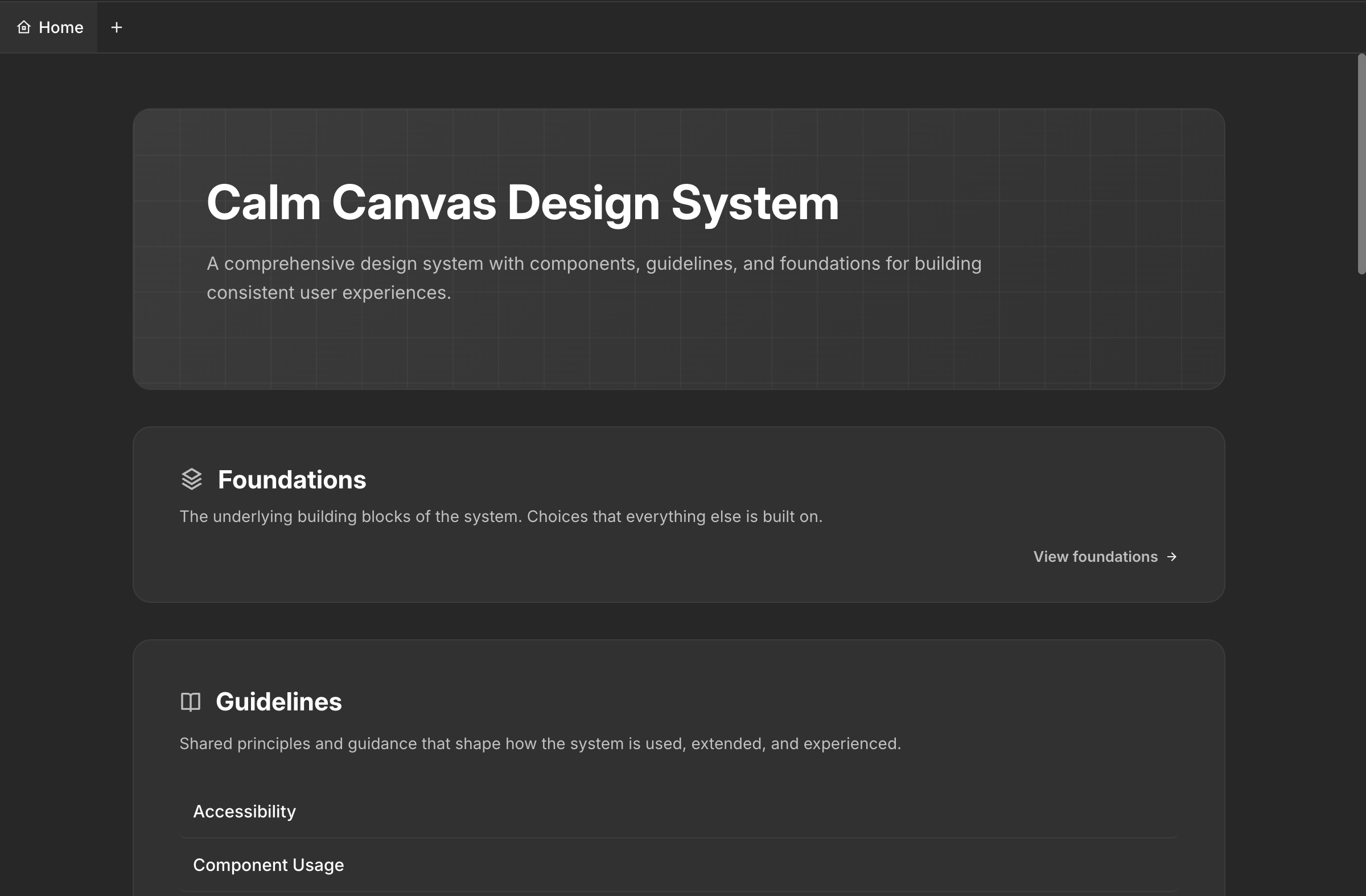
AI can generate color palettes that go far beyond pretty combinations. A generated system includes primary, secondary, accent, status, and neutral scales. Each color has semantic meaning and is automatically evaluated for WCAG contrast ratios. You get documented usage like "Use primary-500 for actionable elements" and "danger-700 must only be paired with white text." The system flags problematic pairings automatically.
Typography Scales with Hierarchy and Usage
AI generates complete typography hierarchies using mathematical progressions to ensure visual consistency. It includes specific line heights, letter spacing, weight variations, and documented usage guidelines. It can recommend font families based on your product positioning and generate the entire scale with those fonts.
Spacing and Grid Systems
AI generates a spacing scale and documents not just the values but the intended usage. "Use space-12 for gaps between closely related elements," "space-32 for major sections." Explicit spacing rules eliminate countless design decisions developers would otherwise guess at.
Component Libraries with Variants and Source Code
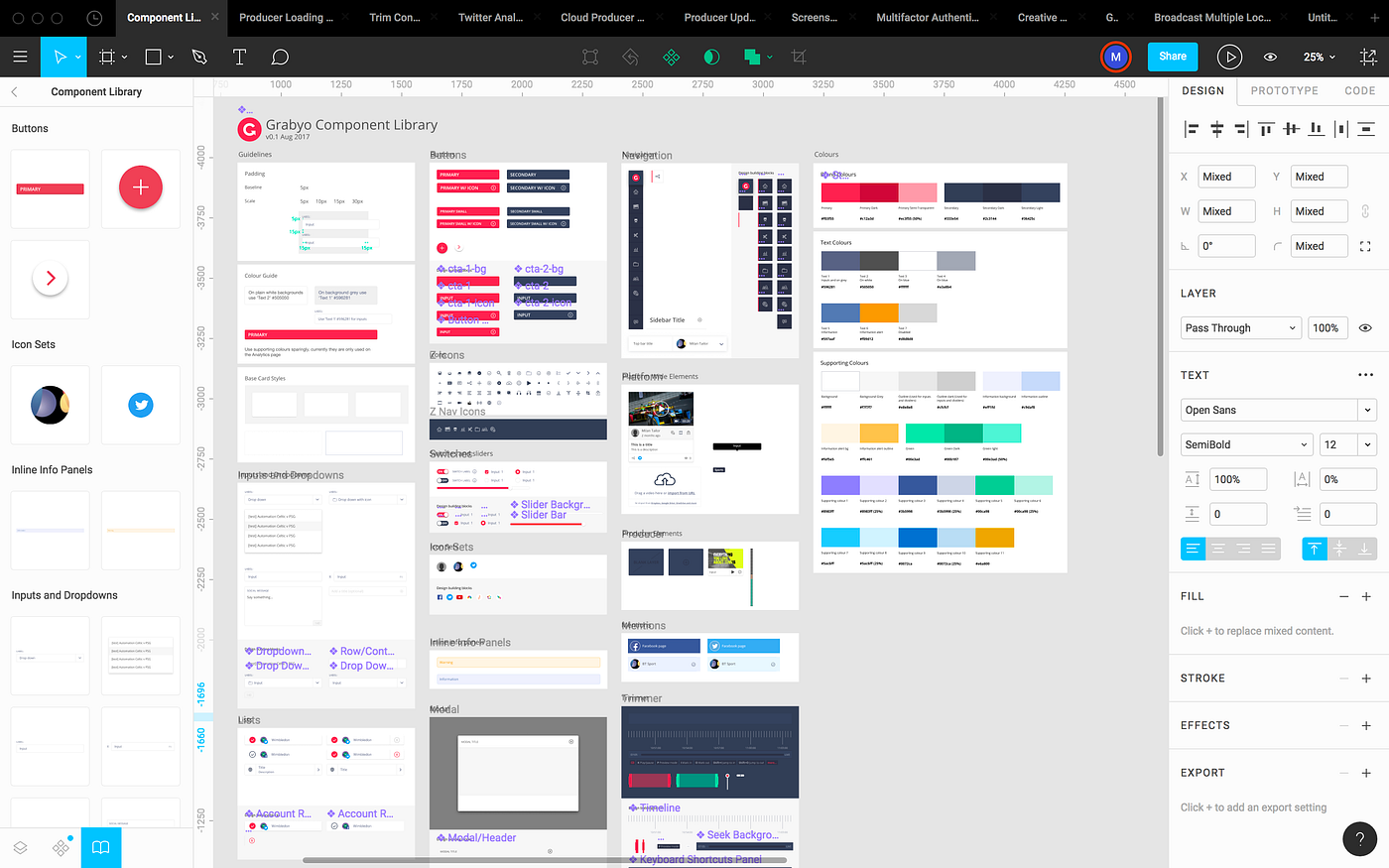
This is where AI shows its real value. A generated system includes production-ready component specifications for all basic UI elements — buttons with all states and variants, input fields, cards, navigation elements, modals, dropdowns, tabs, badges, and alerts. Each component includes the design tokens it uses and explicit rules about when to use each variant.
Documentation and Guidelines
AI generates contextual documentation automatically — not just "here's a button" but "use primary buttons for the main action on a screen. Never use more than one primary button per section." This includes accessibility guidance, interaction patterns, dark mode considerations, and responsive behavior.
Theme Variations
A generated system includes default light or dark mode with proper contrast maintained, plus the ability to create custom modes specific to your product. When you adjust a token, dependent colors across all themes adjust to maintain consistency.
How the Moonchild DS Editor Actually Works
This is where theory meets practice. We built Moonchild's design system editor specifically to make all of this work within a designer's actual workflow.
Getting Started
You click the New Project dropdown and select New Design System. This brings you to a setup page with two paths.
Guided setup means the Moonchild team gets on a call with you — typically within a day — to understand your existing design system. Whether your source of truth lives in Figma, Storybook, or directly in code, the team reviews it with you and sets up a production-ready DS inside Moonchild. This is the recommended path for teams with established systems.
Unguided setup means you enter the DS editor directly and use the AI chat to build your system conversationally. You describe your product, your constraints, your visual direction, and the chat guides you through supplying all the information needed to build a first draft.
Uploading Your Existing Assets
If you have an existing design system, you can upload assets to the DS editor in three formats: HTML, Figma SVG, and PNG. Moonchild responds best to HTML and Figma SVGs — these preserve structure, token names, and component hierarchy. PNGs work but require the AI to interpret rather than parse, so structured formats produce significantly better results.
What the DS Editor Contains
A complete Moonchild design system is organized into seven sections:
Foundations — Icon pack selection and all font selections, including custom fonts in WOFF format. This is the base layer everything else builds on.
Guidelines — Rules for how screens and components get composed. Types of screens, types of components, DOs and DON'Ts, composition principles. This is what makes the difference between a collection of components and an actual system. When Moonchild generates screens using your DS, it follows these guidelines.
Themes — Color palettes, type scales, spacing values, and core design tokens. The raw material that everything references.
Styles — Where themes get named for consistent use. Instead of referencing hex codes, your team references semantic names like primary-600 or surface-elevated.
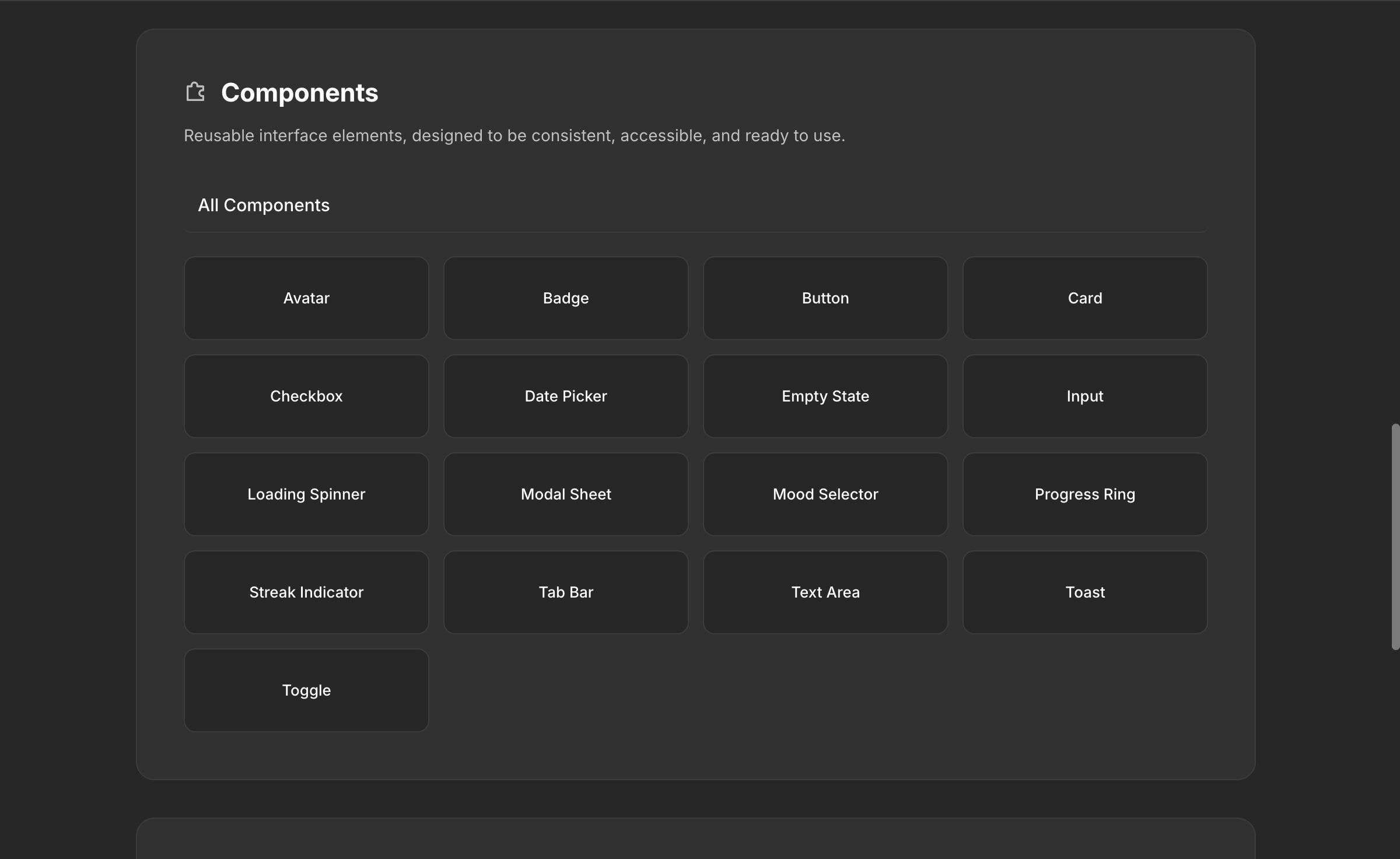
Components — All your components with variants and states, each referencing the tokens defined in your themes and following the rules in your guidelines.
Gallery — A visual component showcase that displays everything in context, making it easy to evaluate coherence before you start designing.
Assets — Brand assets like logos, favicons, and brand marks, centralized for every project that uses the DS.
The Conversational Workflow
About 80% of your time in the DS editor is spent in the chat, iterating. You generate a first draft of your color system, review it, adjust, move to typography, come back to colors after seeing them in component context. This back-and-forth is normal. The chat remembers your context throughout the session, so you can reference previous decisions naturally.
Publishing and Version Control
When you've reached a good stopping point, click Publish. Moonchild DS has built-in version control — every publish creates a snapshot you can return to. Experiment freely knowing you can always roll back.
Portability
Next to the Publish button is a download button that exports your entire design system. You can take it to Claude Code, Lovable, Cursor, Bolt, Codex, or any other tool in your stack. Your DS isn't locked into Moonchild.
What Still Requires Human Judgment
I want to be direct about what AI can't do.
Brand personality and emotional tone still require human judgment. AI generates mathematically balanced, accessible palettes. A human decides whether the palette conveys the right emotion. Does the primary color feel trustworthy for a healthcare product? Confident without being aggressive for fintech? This judgment comes from brand understanding and design intuition.
Complex interaction patterns still need design thinking. A multi-step form with conditional logic, validation, error recovery, and contextual help text is a design problem, not a generation problem. AI provides the building blocks. Orchestrating them into coherent user experiences falls to designers.
Accessibility beyond automated checks still requires testing with actual users. AI ensures WCAG standards, keyboard navigation, and screen reader support. Real-world usability requires human expertise.
The last layer of polish still requires designers. An AI-generated system gives you a solid, functional starting point. Making it feel exceptional — carefully crafted details, refined micro-interactions, elevated typography treatment — that's design work.
The practical implication: AI-generated design systems are about giving designers time to focus on judgment, creativity, and strategic thinking, rather than months building infrastructure.
How Teams Are Actually Using This
Teams that use Moonchild's DS effectively follow a pattern.
They invest in strategic thinking before generation. They articulate their brand, their users, and their design philosophy before touching the DS editor. This context guides generation toward specific, intentional results rather than generic output.
They use the guided setup for complex existing systems. Teams with years of accumulated design decisions in Figma or Storybook let the Moonchild team handle the import to ensure nothing gets lost. Teams starting fresh use the unguided path and build conversationally.
They iterate in the DS chat like they would in Figma. The DS isn't built in one session. Teams return, refine, add components as new needs emerge, adjust guidelines as they learn what works. The version control means experimentation is safe.
They attach the DS to every project. Once published, the DS is available across all Moonchild projects. Every screen generated uses the actual tokens, components, and rules. The consistency is automatic and immediate — designers review generated screens that already look like their product.
They download the DS for their dev tools. The portable download means the same source of truth flows to Claude Code, Lovable, Cursor, or whatever the engineering team uses. Design and development reference the same system without translation.
They treat the DS as living infrastructure. The system evolves as the product evolves. New component needs get added. Guidelines get refined based on real usage. The generated foundation accelerates the initial build, but the long-term value comes from ongoing iteration.
Enterprise Value
The business case becomes clear at scale. A manually-built design system creates value through consistency and faster execution. An AI-generated system creates similar value with a fraction of the upfront investment and with documentation and source code already built in.
Complete documentation means new designers onboard faster. Component source code means engineers implement features faster. Usage guidelines mean design reviews become faster. Accessibility is built in from generation.
For enterprises with multiple products or teams, one generated system becomes the constraint layer across the entire organization. Users get a coherent experience across products. Teams can move between products because the visual language is consistent. Five teams don't each build their own button component.
There's also a velocity advantage. Companies that can generate systems in days rather than months can iterate on their visual direction faster. If user research suggests a different approach, you regenerate and evaluate without a six-month delay.
What's Actually Changing
The shift from manual design system creation to AI-generated infrastructure is fundamental. For decades, design systems were constrained by the amount of work required to build them. Many teams skipped the process entirely, paying the cost through inconsistency.
Now the constraint has shifted. You can generate a complete, documented, code-ready design system and start using it across projects immediately. The new constraint is design judgment — deciding what's right for your product, refining the details, maintaining and evolving the system.
Design systems are no longer a luxury for well-funded companies. They're a standard capability that any team can implement quickly and refine over time. The question isn't whether you can afford a design system anymore. It's whether you can afford not to have one.
Try Moonchild
Want this for your team?
Bring your design system into Moonchild and let PMs, designers, and engineers ship on-brand UI together — without breaking consistency.
Written by
Steven SchkolneFounder of Moonchild AI. Building the AI-native platform for product design.
Related Articles
Design Systems and AI: What Actually Works and What Doesn't
AI can generate design systems in minutes, but most tools produce generic output that ignores your actual components and tokens. Moonchild AI is the only tool that replicates the full complexity of your source of truth. Here's what works, what doesn't, and how teams are designing with their DS in AI.
How to Build an AI Design Tool Stack That Actually Works
Most teams use too many AI design tools or the wrong combination. Learn how to build a focused tool stack that covers ideation, generation, refinement, and handoff without redundancy.
Best AI Design System Generator for Product Teams (2026)
Most AI UI tools treat your design system as optional. Moonchild inverts this — your design system becomes the constraint that shapes generation from the start.