Rapid Prototyping 101 with AI: From Idea to Testable Design in Hours
Traditional rapid prototyping was either a rough paper sketch (unusable for real testing) or a multi-day Figma build (too slow to iterate). AI changes the game: tools like Moonchild AI let designers go from brief to testable, multi-screen prototype in under a day.
The goal of rapid prototyping
Rapid prototypes exist to answer questions cheaply, not produce finished visuals. Focus on hypotheses like: Can users understand the product and its core action? Does the flow make sense from A to B without confusion? Which design direction resonates most with users?
Over-building wastes time. Test only what you need to learn.
Traditional workflow and pain points
The traditional flow — sketch, low-fidelity wireframe, Figma interactions, user test — typically takes 3–4 days. Problems include slow translation, low-fidelity untestable screens, expensive iterations, and high risk of perfectionism.
AI-powered workflow: step by step
Step 1: Clear brief (15–30 min)
Write down the user and context, the problem to solve, the primary action, and constraints (brand, technical, platform). Extract core flows from PRDs — scope control makes rapid prototyping truly rapid.
Step 2: Generate design directions with Moonchild AI (30–45 min)
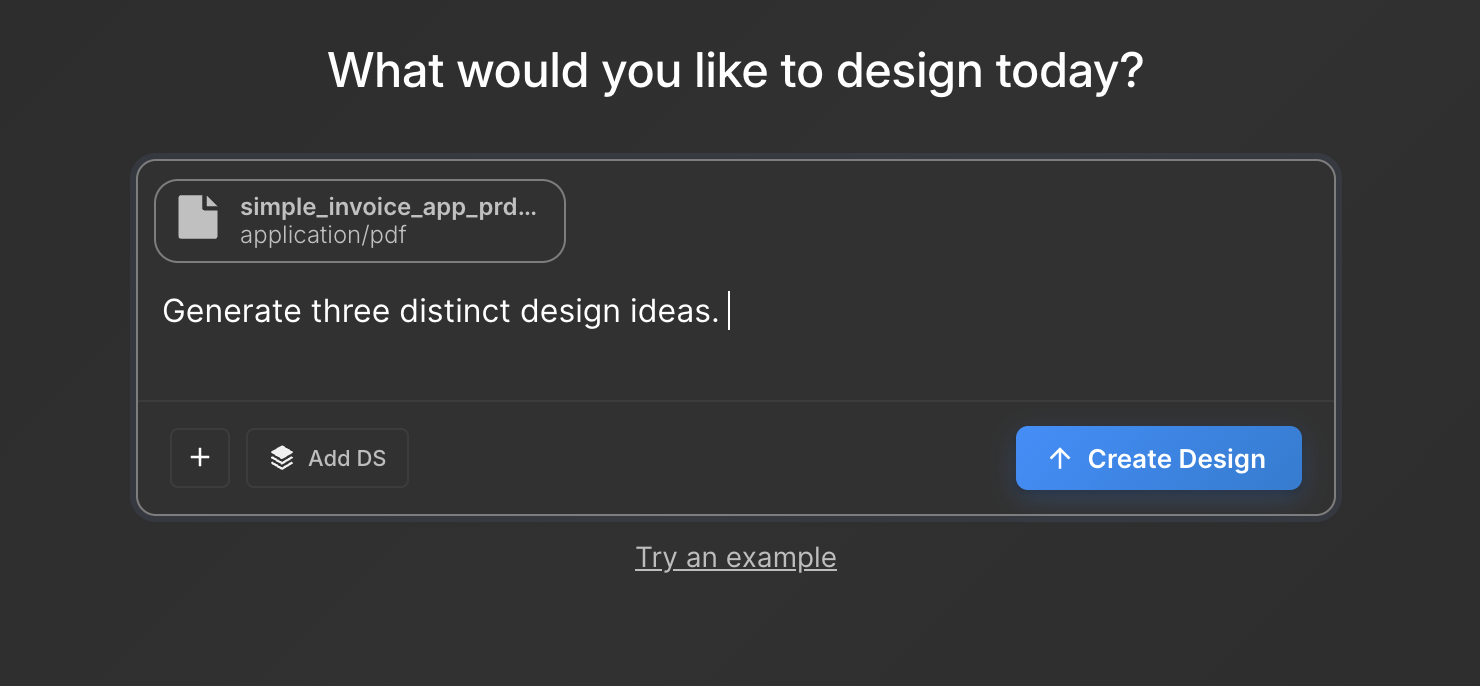
Input your brief/PRD into Moonchild. Request 3 distinct directions, each with a design thesis (e.g., speed-first, trust-building, progressive disclosure). Receive designs grounded in product intent, not random aesthetics.
Output: multiple considered starting points, ready for evaluation and testing.
Step 3: Select and develop a direction (1–2 hours)
Evaluate Moonchild directions against the brief. Select the most promising. Extend into a multi-screen flow in Figma, adding only critical states. Avoid polishing visuals — focus on structure and usability. The enemy of rapid prototyping is perfectionism.
Step 4: Add interactions (30–60 min)
Include click-through navigation, key state changes (toggle, dropdown, error state), and a realistic entry point for the user. Enough interactivity to observe behavior, not simulate the final product perfectly.
Step 5: Pre-test critique with Moonchild AI (15–20 min)
Use Moonchild's critique to check for unclear entry points, missing states, dead-end flows, or missing critical info. This step avoids wasting user testing on obvious flaws.
Step 6: User testing (1–2 hours)
Test with 5 users — enough to surface major usability issues. Observe, don't explain: hesitation, misclicks, and confusion are your data. Note what worked, what didn't, and any surprises.
Step 7: Iterate or build (30 min)
Iterate by adjusting design based on user insights and regenerating with Moonchild if needed. Or build — validated direction proceeds to high-fidelity execution. Decisions are evidence-based, reducing wasted work.
Why AI makes a difference
Traditional prototyping means fast execution but slow ideation. AI prototyping means fast ideation and execution, covering more solution space. Moonchild directions are grounded in your brief, not aesthetic randomness. Designers spend more time on judgment, less on manual generation.
New timeline with AI
| Step | Time |
|---|---|
| Brief writing & scoping | 15–30 min |
| Moonchild direction generation | 30–45 min |
| Direction selection & Figma build | 1–2 hrs |
| Add interactions | 30–60 min |
| Pre-test AI critique | 15–20 min |
| Five user tests | 1–2 hrs |
| Synthesis & decision | 30 min |
Total: ~4–7 hours — one day from brief to tested prototype.
Common mistakes to avoid
- Over-prototyping (more screens than needed)
- Polishing too early (styling before validation)
- Testing with users familiar with the product
- Skipping AI critique before testing
- Treating feedback as final solution — prototypes inform, designers decide
AI removes slow ideation steps but keeps the designer in the decision loop. Rapid prototyping isn't about speed alone — it's about evidence-driven design. Moonchild AI accelerates ideation, critique, and multi-direction exploration, letting designers focus on decisions that actually matter.
Try Moonchild
Want this for your team?
Bring your design system into Moonchild and let PMs, designers, and engineers ship on-brand UI together — without breaking consistency.
Written by
Steven SchkolneFounder of Moonchild AI. Building the AI-native platform for product design.
Related Articles
How to Prototype Product Ideas from a Single Prompt
You have a product idea but no time to write a full spec. Here's how to go from a single written prompt to a visual prototype using AI design tools like Moonchild.
How to Turn Feature Specs into Clickable UI Prototypes
A feature spec defines acceptance criteria in text. AI tools like Moonchild can turn that spec into a clickable prototype so your team can validate it visually against each criterion.
How to Generate User Flow UI for a New User Journey Using AI
Learn how to use AI to generate complete, consistent user flows with multiple screens that maintain visual hierarchy, navigation patterns, and information architecture across the entire journey.