My 9 Best AI Prototyping Tools in 2026
Updated March 13, 2026
Last updated: March 2026 Author perspective: Tested across real product workflows Who this is for: Product designers, PMs, founders, and engineers
What Is an AI Prototyping Tool?
An AI prototyping tool helps you turn natural language prompts, wireframes, screenshots, or design files into UI screens, interactive mockups, or working code in minutes instead of days.
In 2026, these tools cover a wide range of use cases. Some are best for quick low-fidelity exploration. Others generate polished interfaces or even near-production-ready apps.
AI prototyping tools are most useful when:
- Founders need fast MVP visuals without a full design team
- Product managers need demos to align stakeholders
- Designers want to explore multiple directions before committing
- Engineers want to validate UI logic before writing production code
The 9 Best AI Prototyping Tools in 2026
1. Moonchild AI
Best for: Product designers & managers who work from PRDs and briefs
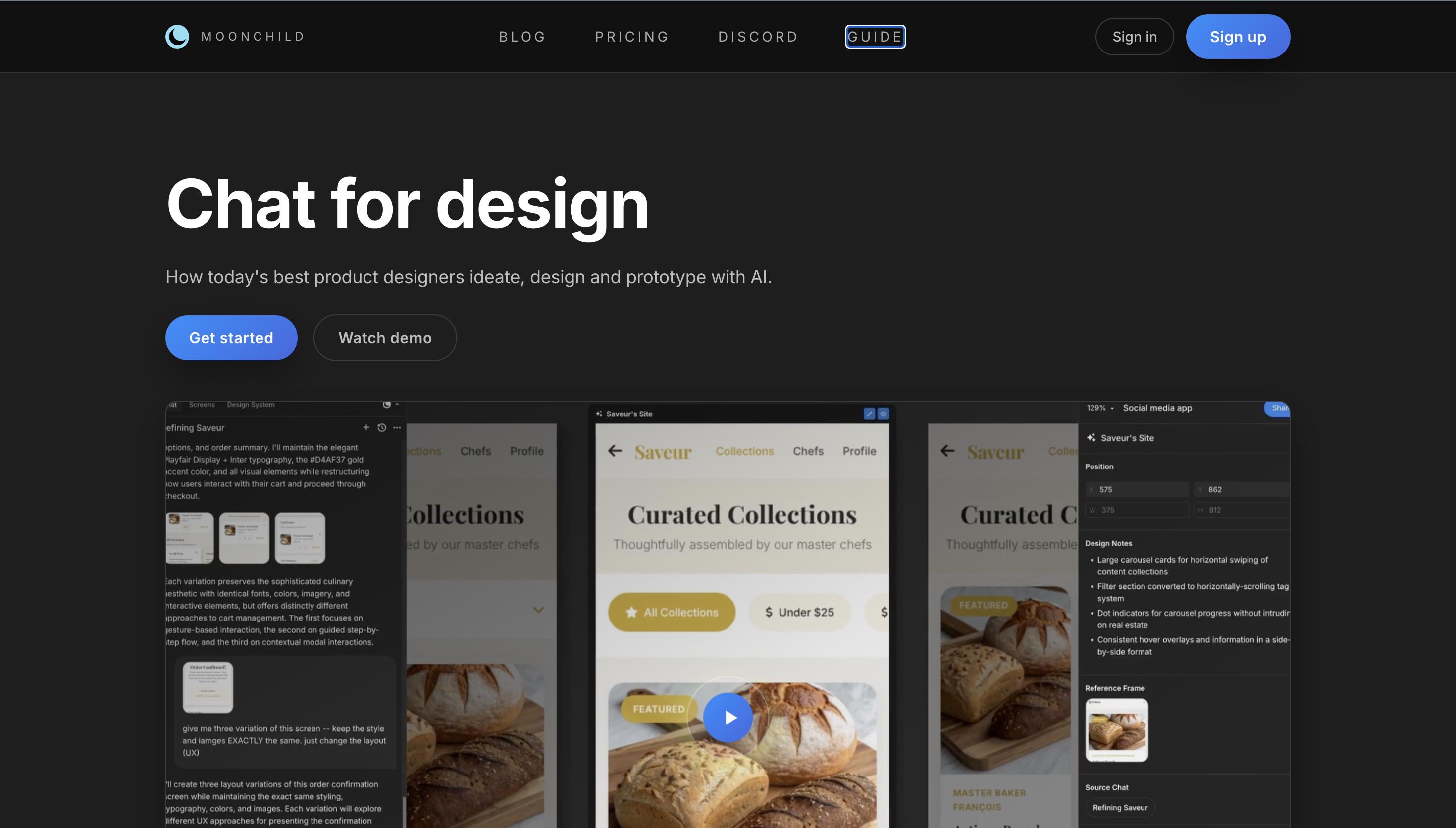
Moonchild AI is built specifically for product design workflows. Instead of generating a single UI layout, it turns product requirements documents (PRDs) or design briefs into multiple distinct design directions that teams can evaluate and iterate on.
For prototyping, this is especially useful during early product exploration. A designer or PM can describe a user journey like onboarding, payments, or dashboard management, and Moonchild generates the set of screens needed to represent that flow. Teams can quickly compare approaches and decide which direction to develop further.
Moonchild also analyzes the requirements themselves. It can surface contradictions in the brief, flag potential UX edge cases, and highlight missing states before prototypes are finalized. This makes it feel less like a UI generator and more like a design collaborator during early-stage product thinking.
Once a direction is selected, the screens can move directly into Figma for refinement and interaction prototyping, allowing teams to quickly turn concept directions into clickable flows.
For teams that begin projects with structured requirements, Moonchild fits naturally into the early ideation and exploration phase of product design.
Key Details:
- Input: PRDs, design briefs, Figma files
- Output: Multiple design directions with UX critique
- Integrations: Figma
- Best workflow stage: Early prototyping and product exploration
- Ideal user: Product designers, design leads, design-focused PMs
2. Figma Make
Best for: Teams prototyping quickly inside the Figma environment
Figma Make brings AI prototyping directly into the Figma workspace. Instead of designing every screen manually, teams can describe a feature or flow in a prompt and generate UI screens that can immediately become part of a prototype.
Because it runs inside Figma, the generated screens can use your existing components, tokens, and layout patterns. This helps prototypes stay closer to your real product UI instead of looking like generic mockups.
For prototyping, the biggest advantage is speed without leaving your design file. A designer or PM can generate a few screens, connect them with interactions, and quickly create a clickable flow to test an idea with stakeholders.
Key Details:
- Input: Text prompts, Figma files
- Output: Interactive prototypes, editable frames
- Integrations: Native Figma ecosystem
- Best workflow stage: Rapid prototyping and concept validation
- Ideal user: Product designers, PMs, and teams already working in Figma
3. Lovable
Best for: Founders and PMs who want functional prototypes without writing code
Lovable turned heads by reaching $17M ARR in under three months.
Lovable focuses on turning prompts into working web apps, not just UI screens. Instead of generating static designs, it creates functional front-end applications that can connect to a database through Supabase. This makes it useful for teams that want to move quickly from idea to a usable prototype.
For prototyping, the main advantage is that the output behaves like a real product. You can test flows, forms, and basic app logic instead of only showing visual mockups. This helps founders and product teams validate ideas with something closer to a working MVP.
Lovable also includes a selector tool that lets you click any element in the interface and describe the change you want. The AI updates that part of the app without requiring a full new prompt, which makes iteration feel more like editing a product than regenerating a prototype.
Key Details:
- Input: Text prompts, design references
- Output: Functional front-end apps with Supabase integration
- Best workflow stage: MVP prototyping and product validation
- Ideal user: Non-technical founders, solo PMs, early-stage startups
4. Bolt.new
Best for: Full-stack prototyping directly in the browser
Bolt.new lets you build entire front-end and back-end applications without leaving the browser, and deployment is included. It grew from zero to $40M ARR in six months, which is a signal of real product-market fit, not just hype.
From a single prompt, it can generate both the front end and back end of an application, all inside the browser. You can also deploy the app directly from the same environment.
For prototyping, this makes it useful when teams want something more than UI mockups. The output behaves like a real application, so you can test flows, forms, and basic product logic instead of only showing visual mockups. This helps founders and product teams validate ideas with something closer to a working MVP.
Bolt also works well with visual references. You can paste a Figma screenshot or describe a layout, and the tool generates code that closely matches the design, often using frameworks like Tailwind CSS.
Compared with tools like Lovable, Bolt focuses less on visual polish and more on speed and flexibility for full-stack prototypes. This makes it useful for teams that want quick demos or proof-of-concept builds.
Key Details:
- Input: Text prompts, Figma screenshots, design descriptions
- Output: Full-stack applications that can be deployed
- Best workflow stage: Rapid MVP prototyping and demo builds
- Ideal user: Technical founders, PMs comfortable with code, engineers exploring product ideas
5. v0 by Vercel
Best for: Developer-led teams prototyping interaction-heavy apps
v0 by Vercel focuses on generating working UI code instead of visual mockups. From a simple prompt, it produces React components that developers can run, edit, and extend. This makes it useful for teams that prefer to prototype directly in code.
For prototyping, the strength of v0 is interaction logic. Because the output is real front-end code, teams can test states, transitions, and component behavior that are often difficult to represent in design tools.
Many teams use v0 to quickly generate a feature interface, then refine the code in development environments like Cursor or Windsurf before moving toward production.
The tool runs on a credit-based pricing model, so the cost depends on how often you generate new components or regenerate outputs.
Key Details:
- Input: Text prompts, design intent descriptions
- Output: React components and front-end code
- Best workflow stage: Interaction prototyping and developer validation
- Ideal user: Engineers, technical PMs, developer-led product teams
6. Replit
Best for: Prototypes that need to work like real products
Replit is a cloud-based development environment with built-in AI. Instead of generating visual mockups, it creates and runs real code in a live environment. This makes it useful when a prototype needs to behave like an actual product.
For prototyping, the advantage is functional depth. Teams can build features that include databases, authentication, and backend logic. The prototype can be tested like a real application instead of a static demo.
Replit is valued at over $1 billion and continues to invest heavily in its AI capabilities.
Replit also supports real-time collaboration, which allows teams to work on the same prototype at the same time. Because everything runs in the browser, there is no setup required to start testing an idea.
Key Details:
- Input: Text prompts, existing code context
- Output: Running full-stack applications
- Best workflow stage: Functional prototyping and early product validation
- Ideal user: Engineers, technical founders, PMs building internal tools
7. UXPin
Best for: Enterprise teams that need high-fidelity prototypes close to production
UXPin focuses on prototypes that behave almost like the final product. Instead of static UI screens, it uses real code-based components from frameworks like React, Vue, and Angular. This allows prototypes to include working form fields, dropdowns, conditional logic, and variables.
For prototyping, this level of fidelity is useful when teams want user tests that closely match the real application. Participants can interact with realistic UI behavior instead of simplified design simulations.
In 2026, UXPin added an AI Component Creator that uses models including GPT-5.1 and Claude to suggest components within your design system's constraints.
The goal is to generate UI elements that stay aligned with how the product is actually built, reducing the gap between design and development. The Growth plan includes 500 AI credits per month.
Key Details:
- Input: Design prompts, existing component libraries
- Output: Code-backed high-fidelity prototypes
- Best workflow stage: Late-stage prototyping, user testing, developer handoff
- Ideal user: Enterprise design teams, large cross-functional orgs
8. Relume
Best for: Early-stage website prototyping and information architecture
Relume focuses on the bones of a product: sitemaps, wireframes, and style guides. Describe the site you want to build, and it generates a full sitemap with low-fidelity wireframes for every page. Once the structure is agreed on, you move to the Design tab to see it rendered, and export directly to Figma.
For prototyping, this helps teams quickly map out how a site should be organized. You can see all pages, sections, and navigation before committing to detailed UI design. Once the structure is approved, Relume can render the pages visually and export the layout to Figma for further design work.
Relume works best for marketing sites and content-heavy products, where information architecture is the main challenge. It is less suited for complex SaaS dashboards or interaction-heavy product flows.
Key Details:
- Input: Text descriptions of the website or product
- Output: Sitemaps, wireframes, style guides, Figma exports
- Best workflow stage: Information architecture and early ideation
- Ideal user: Designers, agencies, founders planning marketing sites
9. Uizard
Best for: Teams that sketch on paper or whiteboards
Uizard is designed for teams that start with rough ideas instead of polished designs. Its standout feature is the ability to scan hand-drawn wireframes and convert them into editable digital screens.
For prototyping, this removes the manual step of rebuilding sketches in a design tool. A quick drawing on paper or a whiteboard can become a simple UI layout that teams can refine and connect into a basic prototype.
It's not built for high-fidelity animation or complex interaction design, but it's an excellent tool for rapidly visualising rough concepts in the ideation phase. Outputs can be exported to Figma and Sketch.
Key Details:
- Input: Hand-drawn sketches, photos, text prompts
- Output: Editable UI mockups, simple interactive prototypes
- Best workflow stage: Early ideation and concept visualisation
- Ideal user: Non-designers, PMs, early-stage founders
How to Choose the Right AI Prototyping Tool
The right tool depends on what you are trying to prototype and how you usually work. Start with your role and the kind of prototype you need.
Quick guide:
- Product designer working from a PRD → Moonchild AI
- Designer already prototyping inside Figma → Figma Make
- PM or founder with no coding experience → Lovable
- Need a fast full-stack product demo → Bolt.new
- Engineer validating UI logic and interactions → v0 by Vercel
- Need the prototype to behave like a real product → Replit
- Enterprise team requiring production-level fidelity → UXPin
- Planning a marketing website from scratch → Relume
- Team that sketches ideas on paper or whiteboards → Uizard
Each tool solves a slightly different problem. Some focus on visual prototyping, while others generate working applications you can test like real software.
Choosing the right one simply means picking the tool that matches how early or how functional your prototype needs to be.
Frequently Asked Questions
What is the best AI prototyping tool for product designers in 2026?
Moonchild AI is built specifically for product designers. It takes PRDs and design briefs as input and generates multiple prototype directions with UX critique and Figma integration. For designers who already work inside Figma, Figma Make is often the most seamless option for rapid prototyping.
What is the best AI prototyping tool for non-technical founders?
Lovable and Bolt.new are strong choices. Lovable focuses on ease of use and design polish, making it approachable for founders without coding experience. Bolt.new is faster for building full-stack prototypes, especially for teams comfortable working closer to code.
Can AI prototyping tools replace designers?
No. These tools speed up ideation and reduce manual work, but they still require human judgment. Designers define the product direction, user experience, and design quality. AI helps generate options, but people decide which ideas actually make sense.
What's the difference between design-first and code-first AI prototyping tools?
Design-first tools, such as Moonchild AI, Figma Make, Uizard, and Relume, generate visual interfaces that can be refined and tested as UI prototypes.
Code-first tools, such as v0, Bolt.new, Replit, and Lovable, generate working code, which makes them better for testing real application behavior.
Are these tools suitable for enterprise teams?
Yes, but some tools fit enterprise environments better than others. UXPin is often preferred because it supports code-based components and high-fidelity prototypes that match production behavior. Figma Make also scales well for large teams that already rely on the Figma ecosystem.
Quick Answer: What Are the Best AI Prototyping Tools in 2026?
The best AI prototyping tools in 2026 are Moonchild AI, Figma Make, Lovable, Bolt.new, v0 by Vercel, Replit, UXPin, Relume, and Uizard. Each serves a distinct use case — from design-first visual workflows to code-first full-stack prototyping.
This article reflects hands-on experience and research as of March 2026. Tool capabilities evolve rapidly, so make sure to always verify current pricing and features directly with each provider.
Try Moonchild
Want this for your team?
Bring your design system into Moonchild and let PMs, designers, and engineers ship on-brand UI together — without breaking consistency.
Written by
Steven SchkolneFounder of Moonchild AI. Building the AI-native platform for product design.
Related Articles
8 Best Rapid Prototyping Tools for Product Teams in 2026
Compare the 8 best rapid prototyping tools for product teams in 2026. From AI-first platforms like Moonchild AI to high-fidelity interaction tools like ProtoPie, find the right fit for your workflow.
Best v0 Alternatives for Designers and PMs Who Don't Code
v0 generates React code from prompts — great for developers, but not for designers or PMs. Here are the best alternatives that produce visual output you can actually use.
The Difference Between AI Wireframe Tools and AI UI Generators
AI wireframing tools and AI UI generators are often grouped together, but they solve different problems at different stages. Understanding the difference saves you from buying the wrong tool.